Shoppers stare at page counts like they are buying paper reams. Online, the fight is often framed as a 100 page vs 500 page notebook decision. On e-ink tablets the number still matters, but for different reasons than paper weight or shelf space.
I ship notebooks at more than one size, and the feedback is consistent: people either drown in empty pages or run out mid-project. Here is how I think about page count when the notebook is a PDF on a tablet.
What page count means on a tablet
Paper notebooks get heavier as pages increase. Digital notebooks get harder to navigate and, on some devices, slower to open or scroll. A 500-page PDF with weak links feels like a warehouse with the lights off. A 100-page notebook with clear sections can feel bigger than it is because you can jump.
Storage is rarely the bottleneck. Attention is. Extra pages invite half-finished systems and abandoned monthly logs. That is true on paper too, but empty paper at least sits closed on a shelf. Empty digital pages still appear every time you scroll the scrubber.
When a 100 page vs 500 page notebook choice should stay small
A hundred pages covers a focused project, a quarter of school, or a single client engagement. Meeting notebooks that reset each month can live happily in that range if you archive old books instead of fearing the archive.
Short notebooks also force a useful habit: when the book fills, you review what mattered and start clean. People who overbuild complex annual systems often do better with a stack of smaller books than one giant file that becomes emotionally heavy.
If you filled fewer than eighty pages last quarter across all apps, buying five hundred “just in case” is usually optimism, not planning.
When you want closer to 500
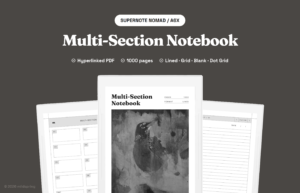
Larger page counts help when the notebook is a long-running home for several sections: work, personal, study, and a side project. Multi-section templates lean this way because each room needs runway.
Bullet journals that keep collections forever also creep upward. If you refuse to migrate, you need headroom. Just pair that headroom with an index and links, or you will lose the page you need inside the pile.
Researchers and novelists who keep one long-running project book also benefit from larger counts, as long as chapters or sections are linked. A flat 500-page scroll without structure is how people quietly return to Apple Notes.
A middle path most people skip
You do not have to pick only the extremes. Many of our digital notebooks land in a middle band with section budgets instead of one endless scroll. Ten sections with a few dozen pages each can beat a flat 500-page stack.
We wrote about that section balance in why 10 sections is the sweet spot. Page count and section count work together. More pages without rooms is just a longer hallway.
Signs you bought the wrong size
- You stop opening the notebook because finding last week takes too long
- You restart a fresh file every two weeks and leave shells behind
- You never touch the back half, and the dead pages make the system feel fake
- You hit the last page mid-project and scramble to migrate
If the first two sound familiar, go smaller or add better links. If the last one keeps happening, go larger or split by project from the start. Migration pain is a sizing signal, not a personal failure.
How I size notebooks for customers
For a single class or a meeting log tied to one job, I point people toward compact books. For a life-in-one-tablet setup with clear tabs, I point toward multi-section templates with enough pages per room that you are not migrating every month.
Paper buyers still care about 100 vs 500 for bulk and price. Tablet buyers should care about fill rate and navigation. Count how many pages you actually wrote last month in your current app. Multiply by three for a quarter, by twelve for a year, then add a buffer. That rough math beats guessing from product titles.
Paper buyers still ask this for a reason
On paper, a thicker notebook signals value and lasts longer between replacements. It also gets heavy in a bag and takes longer to flip. Digital shoppers borrow that value signal even when weight is gone. Resist buying page count as a status number.
If you like the ritual of finishing a book, smaller counts give you that ending more often. If you hate setup days, larger counts reduce how often you build a new index. Be honest about which annoyance costs you more.
Sizing by role instead of by year
Annual planners push people toward huge page counts because the product is sold as a year. Project notebooks can stay small even if the calendar year is long. Role-based sizing beats calendar-based sizing for most professionals I talk to.
Try labeling notebooks by job to be done: “Q4 hiring”, “Client A”, “Home reno”, “Daily scratch”. Those titles make overbuying obvious. A 500-page “Life 2026” title hides the problem until June.
When a commercial keyword like multi-section notebook starts ranking, it is often because people want rooms, not raw page totals. Give them rooms with enough pages each, not a single undifferentiated brick of paper.
A quick fill-rate worksheet
Open last month’s notebook and count pages with real ink. Ignore dividers and accidental blanks. Multiply by twelve for a rough yearly need, then add about thirty percent for spikes. If that number lands near one hundred, stop shopping for five hundred. If it lands near four hundred, a large multi-section book is rational.
Do the same math per role if you split notebooks. Hiring may need sixty pages a quarter. A novel draft may need three hundred. Averaging them into one giant life notebook is how page counts get silly.
Revisit the worksheet when your job changes. Page needs follow workload, not the calendar year stamped on a planner cover.
If you want a notebook that already balances rooms and page budgets, start with the multi-section notebook or a focused Cornell notebook when the work is study notes instead of life admin.