Multi-Section Notebook for Supernote
$14
One-time purchase, lifetime access.
Save with the bundle Get this and 4 more for $35 The Supernote Templates Bundle has all 5 notebooks in one purchase. $52 bought separately. See the bundle →Want different sections or page styles? Customize this notebook
Also available for
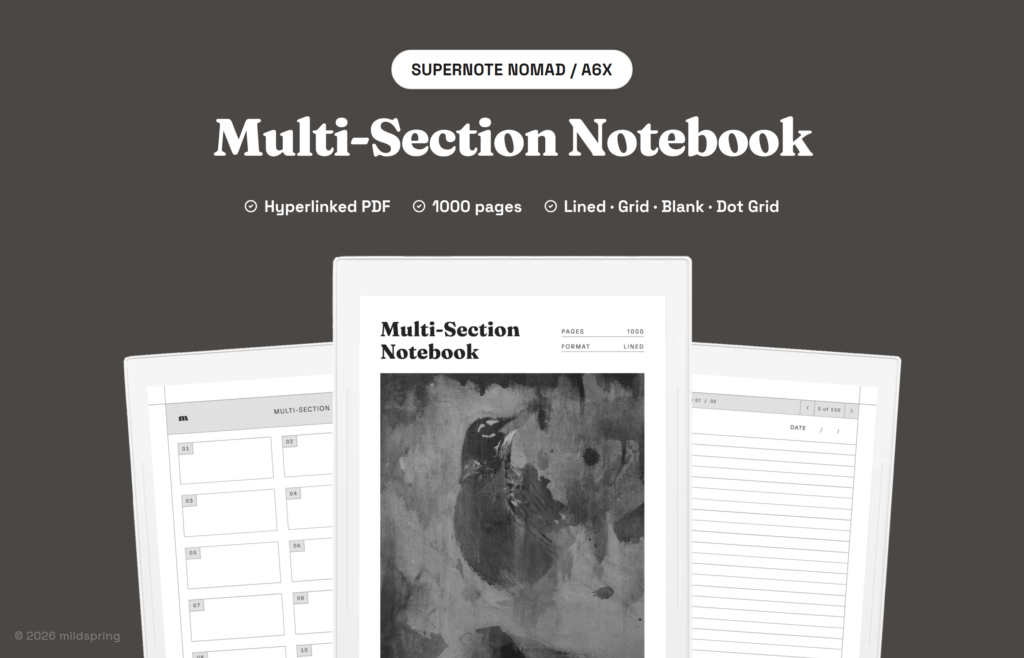
A hyperlinked PDF notebook for Supernote with 10 numbered sections and 1,000 writing pages. Four page styles included as separate PDFs: Lined, Blank, Dot Grid, and Grid.
The Multi-Section Notebook for Supernote is a hyperlinked PDF built for people who need ten separate streams of notes instead of one long book. It is the multi section notebook supernote buyers reach for when work, study, meetings, reading, and personal notes should not share a single contents list. You get 1,000 writing pages split into ten sections of 100 pages each, and the section titles start blank so you name them on the device.
It opens on a collection index that lists sections 01 through 10. Tap a section and you land on that section’s own index, then tap a row to open the matching writing page. A breadcrumb on every writing page jumps back to the section index or the collection index, so you are never stuck scrolling a thousand-page stack to find where you were.
The cover artwork was painted by Rabia, who hand-paints the cover of every mildspring product.
One purchase includes four complete files, one for each page style: Lined, Blank, Dot Grid, and Grid. Load the rulings you want as separate notebooks on the same Supernote.
What is inside the multi section notebook supernote
- 1,000 writing pages per file, split into ten sections of 100 pages each. On the Manta the full file is 1,042 pages once you count the cover and indexes. On the Nomad it is 1,052 pages because that smaller screen needs a fifth index page per section.
- A collection index that lists all ten sections as tappable links.
- Ten section indexes, each covering that section’s 100 pages. Most devices use four index pages per section. The Nomad uses five, with twenty rows to a page.
- Blank section names you fill yourself, so section 03 can be “Client work” this month and something else next year.
- A TITLE and DATE field on every writing page, plus a breadcrumb that shows which section and which page you are on.
- No printed page numbers running through the whole book. Each writing page shows its place inside the section, such as 14 of 100, which keeps the header quiet on Ratta’s screens.
- Four page styles as four PDFs: Lined, Blank, Dot Grid, and Grid. Each file is a complete 1,000 page notebook in that ruling.
How the ten sections work
A single long notebook is fine until two projects start colliding on the same contents page. This file treats each section as its own notebook that still lives inside one PDF. Section 01 can hold daily notes, section 02 a product draft, section 03 meeting logs, section 04 reading notes, and the rest whatever else you are carrying that quarter.
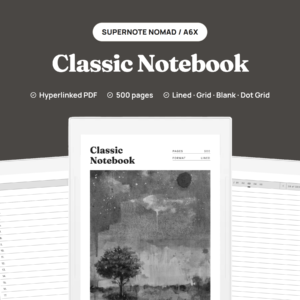
Inside a section, every index row maps to one writing page. That is different from our Classic Notebook, where each entry spans five pages. Here the unit is a single page with its own title and date field, which suits short notes, dated logs, and lists that you want to find by number later.
Nothing renumbers as you write. The thousand pages are fixed, the links point at fixed destinations, and a section that still has empty pages at the end stays empty until you need them. When a section fills up, you can keep writing in another section or download a fresh copy of the same ruling and start clean.
How navigation works on Supernote
Everything runs in the Supernote’s own PDF reader. There is no companion app and no account to connect for the links to work, because a PDF with internal links is an ordinary document to the device.
Tap a section on the collection index and the reader jumps to that section’s index. Tap a numbered row and you land on that writing page. Tap the breadcrumb at the top of a writing page and you return to the section or the collection index. Ordinary swipe and page-turn gestures still work if you would rather move page by page.
The file also carries a proper PDF outline. Supernote’s navigation panel lists the cover, the collection index, and each section index, which matters on Ratta devices where a lot of people live in the sidebar rather than the page headers. That outline is how you jump between streams without flipping through blank pages.
The four page styles
Lined is the tight ruling most people want for continuous text. Dot Grid keeps the page quiet while still giving you points to align against for diagrams and bullet layouts. Grid is the small square grid for budgets, timetables, and notes in columns. Blank drops the ruling and keeps the header, breadcrumb, and title fields for drawing and free handwriting.
All four come as separate files, so you can keep a lined book for meeting logs and a dot grid book for project sketches open at the same time on the Supernote.
Made for the Supernote Nomad and Manta
This version is sized for two Ratta screens, and you pick your device at checkout.
The Supernote Nomad (A6X2) and the older A6X share the smaller page at 119 by 159 millimetres. That is the A6-class screen, and the notebook is drawn to fill it at native size so nothing is scaled, letterboxed, or cropped. The margins stay clear of the floating toolbar whether you dock it on the left or the right, which is the thing that bites most imported PDFs on these devices. Because the Nomad page is smaller, each section index runs to five pages instead of four.
The Supernote Manta (A5X2) gets the larger page at 163 by 217 millimetres. Same ten sections, same 100 pages per section, same four rulings, drawn for the A5 screen so the ruling spacing and the toolbar clearance match that panel instead of being stretched from the Nomad file. Section indexes on the Manta are four pages each.
We do not make a version of this notebook for the original Supernote A5X. Its screen is close to the Manta’s but not the same, so do not buy the Manta file for an A5X. If you have an A5X, our custom notebook builder makes a PDF sized for it.
The same notebook is drawn for other tablets too, so if you also use another device, look at the Kindle Scribe, reMarkable, and Quaderno versions, each cut to that device’s own page size.
Which of our Supernote notebooks to pick
We draw five notebooks for Supernote, and they differ in how the pages are carved up rather than in how they look. This Multi-Section file is the one for several named streams living side by side.
Pick this Multi-Section Notebook when work notes, study notes, and personal notes should not share one contents page. Ten blank-label sections with their own indexes are the shape for that.
Pick the Classic Notebook when you want one long notebook with generous room per entry. A hundred entries at five pages each covers a year of most people’s note-taking, and it is the safer start if you are not sure you need ten separate streams.
Pick the Cornell Notes Digital Notebook when the page itself needs to do some of the thinking. Its 200 pages each carry a cue column, a notes block, and a summary band, which is the format built for lectures and reading you plan to revisit.
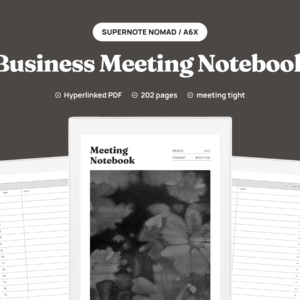
Pick the Business Meeting Notebook if most of your writing happens in meetings, since its 200 pages are laid out around attendees, agenda, notes, and action items instead of a plain ruling.
Pick the Bullet Journal if you work in short logged entries rather than long pages. It is 200 dot grid pages set up for rapid logging.
They all share the same tap-to-jump navigation, so the way you move around them feels familiar.
Getting it onto your Supernote
After checkout you get four downloads, one per page style. Grab the ones you want on a computer first, since they are a few megabytes each and you will want them somewhere you can find them again.
From there the usual routes work: copy the PDFs over USB into the Document folder, drop them through Supernote Partner, or sync them in via the cloud services you already have set up on the device. Once a file is on the tablet it shows up as its own notebook, and your handwriting is saved into the document as you write.
If you use Digest, the linked structure still holds. Breadcrumbs and index rows are standard PDF links, so they survive the usual import path.
What you get at checkout
One purchase at $14, four PDF downloads for the device you pick, and no subscription or expiry. The files are yours to keep and to re-download, and you can load them onto your own devices as many times as you need. If you fill a notebook, download a fresh copy and start again on a clean 1,000 writing pages.
Frequently asked questions
How many pages do I actually get?
Each file has 1,000 writing pages. On the Manta the full PDF is 1,042 pages once you include the cover and indexes. On the Nomad it is 1,052 pages because each section index needs five pages on that smaller screen. Four files come with the purchase, so 4,000 writing pages across the set.
How many files come with this?
Four PDFs in one purchase for the model you pick: Lined, Blank, Dot Grid, and Grid. Each is a full 1,000 page notebook in that style, and you can load as many or as few as you like.
Which Supernote models does this fit?
The Nomad (A6X2) and A6X at 119 by 159 mm, and the Manta (A5X2) at 163 by 217 mm. Choose your device at checkout. There is no original A5X version of this notebook.
Are the ten sections already named?
No. The section labels start blank so you can write your own names on the device. The indexes still list them as sections 01 through 10 for linking.
Do the links really work on Supernote?
Yes. The collection rows, section index rows, and breadcrumbs are standard PDF links, which the Supernote reader follows on a tap. The file also carries PDF bookmarks for the cover, collection index, and each section index.
Will the floating toolbar cover my writing?
No. The margins are drawn to stay clear of the floating toolbar whether you dock it on the left or the right. That clearance is one of the reasons we cut separate Nomad and Manta files instead of stretching one size onto both.
How is this different from the Classic Notebook?
Classic is one long book with 100 entries at five pages each. This Multi-Section file splits 1,000 pages into ten named sections with their own indexes, which suits keeping separate streams apart.
Can I use more than one page style at once?
Yes. They are four separate files, so copy each one onto the Supernote and it shows up as its own notebook.
Do I need an app or an internet connection?
Neither, once the file is on the device. Transfer can use USB, Partner, or cloud, and after that it works offline in the built-in reader.