People shopping for an e-ink tablet eventually hit the same fork: use the native notebook app, or import a hyperlinked pdf e-ink template. Both can work. They solve different problems, and the wrong pick usually shows up as friction after a week, not on day one.
I build hyperlinked notebooks for Supernote, reMarkable, and Kindle Scribe, so I hear both camps. Native apps feel fast and simple. Linked PDFs feel structured and portable. Here is how I compare them when someone asks which path fits real work.
What the native notebook app is good at
Native notebooks are part of the device. You open a book, pick a template, and write. Layers, pen settings, and palm rejection are tuned for that app. On many devices, search across handwritten notes works best inside the native format.
They also win for quick capture. Meeting starts in thirty seconds, so you do not want to hunt a PDF in a file manager. Native books are easy to duplicate, rename, and keep in the vendor cloud when that cloud is part of your life already.
The weak spot is structure at scale. If you want a year dashboard that jumps to months, projects, and meeting logs, native apps often leave you scrolling or manually linking pages. Some devices have improved linking, but PDF planners still go further for dense navigation.
Where a hyperlinked pdf e-ink workflow wins
A hyperlinked PDF is a file with tappable targets. Table of contents, tabs, and buttons jump you to sections without scrolling through hundreds of pages. That is why digital planners and multi-section notebooks still ship as PDFs.
You also get a fixed layout. Page size, margins, and ruling stay the same on every device that opens the file. If you care about a Cornell split, a meeting header, or a 10-section spine, the PDF designer can lock that in before you ever pick up the pen.
The tradeoffs are real. You import the file, manage versions, and live inside the PDF reader or notebook layer the device provides. Pen feel depends on how the maker handles PDF ink. Some people dislike file management enough that they bounce back to native books after a messy sync week.
A practical comparison
- Native: faster to start, better for messy everyday notes, tighter device features
- Hyperlinked PDF: stronger navigation, repeatable layouts, easier multi-section systems
- Native: often better handwriting search on that brand
- PDF: easier to keep the same system when you change devices
Battery life differences are usually small compared with how often you open the wrong page. Navigation pain costs more days than a few minutes of import time.
When I recommend native first
If you mostly jot tasks, annotate a few PDFs from work, and keep one or two active notebooks, stay native. The overhead of a linked template is not worth it. Students who take continuous lecture notes often prefer a native book per class because the timeline is linear.
Creatives who sketch and erase a lot also lean native, because layers and tools feel closer to a sketchbook than a form. If your happiest notebook is half doodle and half grocery list, native is probably enough.
When a hyperlinked PDF earns its keep
If your week has repeating rooms (work, home, side project, health) and you keep losing the page you need, a linked notebook pays for itself. The same is true for planners with monthly and weekly jump targets, or meeting notebooks with an index of clients.
People who tried a paper BuJo and liked the index idea usually like linked PDFs on e-ink. The tablet becomes a binder with tabs instead of a stack of unnamed books. That is also why multi-section templates keep showing up in our customer notes.
Another quiet win is consistency across upgrades. When you change from one brand to another, a PDF system travels. Native notebooks often need export chores and format compromises.
You can use both
This is not a loyalty test. Plenty of people keep a native daily scratchpad and a hyperlinked system for projects. Scratchpad catches the clutter. The PDF holds the structure you reuse. On Supernote that split feels natural because digests and PDFs live side by side. On reMarkable and Kindle Scribe it works if folders stay tidy.
A good test week looks like this: take all meetings in native, keep projects in a linked PDF, and see which file you reopen on Sunday. Your behavior is a better guide than a feature matrix.
Import and maintenance realities
Native notebooks hide file chores. Hyperlinked PDFs do not. You will download updates, decide whether to keep inked pages or start fresh, and occasionally re-copy a still-active section into a new version. That overhead is the price of a designed system.
I tell people to budget one quiet hour when a major template update lands. If that hour sounds unbearable every month, buy smaller templates that change less often, or stay native for the messy everyday book.
Search, export, and leaving a device later
Handwriting search is usually strongest in the native app. PDF text search only helps for typed labels and printed template words. If searchable handwriting is your main reason for buying the tablet, weigh that heavily before moving your whole life into PDFs.
Export tells the opposite story. A PDF notebook is already a file you can archive, back up, or open elsewhere. Native notebooks depend on each brand’s export path, which ranges from fine to annoying. People who change devices every two years feel that difference.
A fair long-term setup for many customers is native for capture and PDF for systems that must outlive the current tablet. That mix keeps both advantages without a religious argument.
Questions worth asking before you switch
How many active notebooks do you touch in a normal week? If the answer is one or two, native is probably enough. If the answer is five or more and you keep reopening the wrong one, a linked PDF spine will save time.
Do you change devices often? PDF systems travel. Native systems need export work. Do you rely on handwriting search every day? Native usually wins. Do you need the same meeting layout on every page? PDF usually wins.
Write those answers down once. The tool choice gets easier when it is tied to habits you already have instead of features you might use someday.
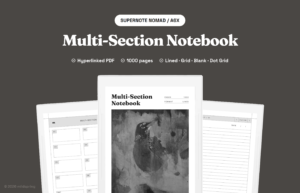
If you want to try the linked path, start with a focused notebook rather than a giant annual planner. Our multi-section notebook is built for that middle ground, and the PDF breadcrumbs guide explains how navigation inside these files works.