An Evernote bullet journal template and a digital bullet journal on an e-ink tablet solve different problems. Evernote gives you folders, tags, and search across devices. A bullet journal gives you one calm notebook where today, this week, and this month stay in fixed places you can flip to without thinking.
If you searched for an Evernote template for bullet journaling, this post covers both sides: how to set up a bullet journal in Evernote that actually fits the current plans, and when a hyperlinked PDF notebook on e-ink is the better fit.
Can you use Evernote as a bullet journal?
Yes. Most Evernote bullet journal setups are note stacks with dated pages, checkbox lists, and tag rules copied from paper bullet journaling. They work if you live in Evernote already and do not mind typing on a laptop or phone.
One thing most older guides miss: Evernote’s plans changed. According to Evernote’s help center, the Free plan allows up to 50 notes and 1 notebook, and the Starter plan allows up to 1,000 notes and 20 notebooks. Notes in the trash still count toward the limit. That changes how you should structure a bullet journal in Evernote.
How to set up a bullet journal in Evernote
The bullet journal method has four core parts: an index, a future log, monthly logs, and daily logs. Here is one way to map them to Evernote without wasting notes.
- Make one notebook called Bullet Journal. On the Free plan that is your only notebook, so keep everything inside it.
- Create a Future Log note. One note with a heading per month for anything scheduled further out.
- Create one note per month. A short calendar list of dates at the top, the month’s tasks underneath.
- Keep daily logs inside a weekly note, not one note per day. A heading per day, with tasks as checkboxes and events and notes as plain lines.
- Skip the index. Evernote’s search does that job. Use tags (for example, collection) to group collections like book lists or project notes.
- Type the signifiers. Plain characters work fine: X for done, > for migrated, < for scheduled, O for an event, and a dash for a note.
Do the math before you commit. A future log, 12 monthly notes, and 52 weekly notes is 65 notes in a year, which is over the Free plan’s 50. A daily note per day would hit the limit in under two months. If you want to stay on Free, merge weekly notes into the monthly note, or archive old weeks by exporting them and permanently deleting them.
Copy and paste is the one place Evernote beats paper. Recurring tasks move to the next day in a second instead of being rewritten by hand.
Evernote vs a digital bullet journal on e-ink
On e-ink, the appeal is different. You want the rapid logging rhythm Ryder Carroll described, but with a stylus and a screen that feels like paper. Templates built for Evernote rarely map cleanly to that hardware.
| Evernote bullet journal | Digital bullet journal on e-ink | |
|---|---|---|
| Input | Typing | Handwriting with a stylus |
| Search | Full-text across devices | Index and collections, no full-text unless your reader adds OCR |
| Sync | Cloud, many devices | One file, no sync conflicts |
| Limits | 50 notes and 1 notebook on Free | Fixed page count per file |
| Best for | Clipping, typing, shared notes | Daily logging and planning |
Digital bullet journal strengths on e-ink
A hyperlinked PDF bullet journal keeps the method on the page. You draw your daily log, monthly log, and collections by hand, and the linked index puts each one a tap away. You write like it is paper, but you navigate like it is an app.
- One file. No sync conflicts between phone and tablet.
- Handwriting first. Tasks and notes stay in ink, not tiny checkboxes in a text editor.
- Offline by default. Airplane mode does not break your planner.
The tradeoff is search. You are not full-text searching every page unless your reader adds OCR. For many people that is acceptable because the index and collections carry most of the load.
Where Evernote still wins
Evernote is strong when capture happens everywhere. Clip a web page on your laptop, dictate on your phone, file it with tags, find it with search. If your work is mostly typing and clipping, stay in Evernote.
Evernote also shines for shared notebooks and attachments. A bullet journal PDF is personal by design. It is not a team wiki.
Hybrid habits that actually stick
Some people keep Evernote for reference and run the daily log on e-ink. Meetings and tasks on the tablet. Long-term storage in the cloud. The rule is simple: do not duplicate the same list in both places.
If you try that split, pick one system as the source of truth for open tasks. Usually that is the bullet journal you open every morning.
Start with a linked bullet journal PDF
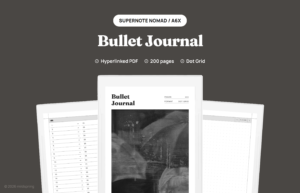
Our Bullet Journal for Supernote is 200 undated dot grid pages with a linked index, so you draw your own monthly logs, daily logs, and collections and tap any index row to jump to them. It is built for stylus use, not as an Evernote export. On another device? We also make a Bullet Journal for reMarkable and a Bullet Journal for Kindle Scribe.
For setup tips specific to Supernote, read our Supernote bullet journal guide. For page style questions, see the best page style for bullet journaling and the types of notebook lines comparison.
When you are ready to browse more formats, visit the mildspring shop for hyperlinked notebooks sized to your device.