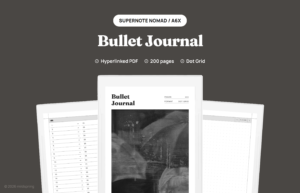
If you have ever kept a paper bullet journal, you know the appeal. One notebook, a few simple lists, and a habit of writing things down. The harder part is sticking with it. Pages get messy, indexes go out of date, and the system that was supposed to simplify your life starts to feel like another chore. A Supernote bullet journal, set up as a hyperlinked PDF, fixes most of that without giving up the slow, deliberate feel of writing by hand.
What a Supernote bullet journal actually is
The bullet journal method, developed by Ryder Carroll, is a system for tracking tasks, events, and notes in a single notebook. Rapid logging, an index, a future log, monthly and daily pages. That is the whole structure. Nothing about the method requires paper.
The digital version is the same method on dot grid pages inside a PDF with internal links. Tap a row in the index and you land on that page. Tap the breadcrumb at the top of the page and you are back at the index. You still draw your own monthly logs and spreads with the stylus, the same way you would on paper. The handwriting and the layouts are yours. The navigation is built in.
Why this works well on Supernote
Supernote devices have three things that line up well with the bullet journal method.
- A paper-like writing feel. The FeelWrite film on the Supernote Manta and Supernote Nomad gives enough friction that long writing sessions do not feel slippery.
- No distractions. The device cannot pull you into a feed. That matches the spirit of the method, which is partly about slowing down.
- Real PDF link support. Internal hyperlinks inside a PDF are honored by the native reader, so the index and navigation actually work. If you want a primer on how that navigation is built, read what a hyperlinked PDF is.
The third point is the one that most people miss. Without working links, a digital BuJo is just a stack of static pages and you waste minutes scrubbing the page slider every time you want to switch between the future log and today.
Paper vs digital, side by side
Before the setup walkthrough, the honest comparison. The right answer depends on what bothers you about your current system.
| Factor | Paper BuJo | Digital on Supernote |
|---|---|---|
| Index upkeep | Number pages and update the index by hand | Index rows already link to every page; you only add labels |
| Finding an old page | Flip through | Tap its index row |
| Distractions | None | None on Supernote, more on tablets with apps |
| When it fills up | Buy a new notebook | Start a fresh copy of the same PDF |
| Backup if lost | None | Cloud sync plus local copies |
| Decoration | Pens, stickers, washi tape, color | Stylus on a greyscale dot grid |
If decoration is the part you enjoy most, paper still wins. If you keep abandoning paper journals because the upkeep is heavy, the digital version removes most of the friction.
How to set up the notebook
Setup is short. You do not need to number pages or build an index yourself.
- Connect your Supernote to your computer with USB, or use the Browse & Access wireless transfer.
- Drop the file into your Document folder, not MyStyle. A bullet journal is meant to be one long ongoing document, not a template you spawn new notebooks from.
- Open the file. It starts on the cover, then the index. Tap any row to jump to that page.
- Pick a pen. The needle-point pen at a thin setting matches the spirit of the method, which is short bullets, not paragraphs.
That is the whole onboarding. No accounts, no companion app to install.
The pages you actually use
A good digital BuJo is built around four page types, in this order of frequency:
- Daily log. Tasks, events, notes for one day. Most of your writing happens here.
- Monthly spread. A calendar overview plus a short task list for the month.
- Future log. A 12-month-at-a-glance for anything scheduled past the current month.
- Collections. One-off pages for specific topics: a book list, a habit tracker, project notes.
You draw each of these on a blank dot grid page and write its name on the matching index row. A two-page monthly spread just uses two pages in a row. Leave a few pages empty after a collection if you expect it to grow.
Everything else is decoration. If you have used paper BuJos before, the temptation to recreate elaborate spreads will hit early. Resist it for the first month. The point of the system is that it stays out of your way.
The daily workflow
On a paper BuJo, the daily ritual is to open to today, draw a line under yesterday, and start writing. The digital version is the same, with one shortcut.
- From the index, tap the row for today’s daily log.
- Write your bullets. Tasks as dots, events as circles, notes as dashes. That is the standard notation in the method.
- Need the monthly spread or a collection? Tap the breadcrumb, then tap its row.
At the end of the day, mark completed tasks with an x, migrate any unfinished ones forward by writing a small arrow, and close the page. The next morning, take the next blank page, date it, and add that date to its index row. Most days that whole loop takes under a minute outside of the actual capture work.
What you lose, what you gain
Honest about the trade-offs:
- You lose the smell and feel of paper. If that matters to you, no e-ink device fully replaces it. The Supernote gets closer than most, but it is still a screen.
- You lose color and stickers. The screen is greyscale and the page is dot grid. Spreads stay simple whether you want them to or not.
- You gain navigation. Tapping an index row beats flipping through 60 pages of paper.
- You gain a way home from any page. Every page has a breadcrumb back to the index, so you never get lost deep in the file.
- You gain durability. One file, backed up to cloud storage. No notebook to lose.
The honest answer is that a digital BuJo is not strictly better than paper. It is better for a specific kind of person: someone who likes the method but bounces off paper because it is messy, hard to navigate, or easy to lose. The digital tooling will not save you if the underlying habit is not there.
Backups, syncing, and longevity
One advantage of a single PDF is that it is just a file. Supernote Cloud can sync it, but you are not locked into that. You can copy the file to Google Drive, Dropbox, or a local backup drive. Once a month, do this. The point is not paranoia, it is that you will want this file three years from now, and devices come and go.
One small habit that pays off: at the end of every month, export a copy with the month’s name appended. bullet-journal-2026-may.pdf. You end up with a small archive of finished months and one live working file. If anything ever corrupts the live file, you have not lost more than the current month.
Common mistakes
- Pre-filling every day. Dated plans go in the future log and monthly spread. Daily logs get filled as the day happens, not weeks ahead.
- Over-decorating. The method works because it is plain. If your daily log takes 20 minutes to set up, you will quit.
- Skipping the migration step. Moving unfinished tasks forward is the part that keeps the system honest. Skip it for a week and the backlog goes invisible.
- Not labeling index rows. An unlabeled row is a page you will never find again. Write the label the moment you start the page.
Frequently asked questions
Does it work on the Manta or only the Nomad?
Both. Each device gets its own file drawn for its screen, so the dots are not scaled and the margins leave room for the floating toolbar. The official Bullet Journal notebook is A5, so the Manta’s A5-class screen is the closer match. The Nomad is closer to the A6 pocket edition and lighter to carry.
Can I add my own pages or collections?
A PDF cannot grow, but you rarely need it to. All 200 writing pages are blank dot grid, so any page can become a collection. Label it on the index and it is one tap away. When the file fills up, start a fresh copy.
Can I search my handwriting inside the bullet journal?
We cannot confirm that. Supernote documents handwriting search for its own notes, through keywords and real-time recognition (see Supernote’s note system page), not for writing on top of a PDF. Plan on finding pages through the index labels and the PDF bookmarks instead.
Is this a one-time file or a subscription?
One-time. You buy the PDF, you keep it. There is no companion app, no recurring fee, and no account to lose access through. The file is sized for Supernote, and we sell versions drawn for other tablets too.
If you landed here looking for an Evernote template, this is a different thing: a hyperlinked PDF you keep on the device, not a cloud notes file. See our Evernote bullet journal template vs digital bullet journal comparison for the trade-offs. We sell a Bullet Journal for Supernote for Nomad and Manta, with 200 undated dot grid pages and a linked index for the monthly logs, weekly spreads, and collections you draw yourself. Not sure which page style to pick? Read our guide to the best page style for bullet journaling. On a different tablet, there is also a Bullet Journal for reMarkable and a Bullet Journal for Kindle Scribe.