We draw every PDF at the exact page size of the tablet it’s for, so it fills the screen without zooming. A file made for one tablet won’t fit another tablet’s screen the same way.
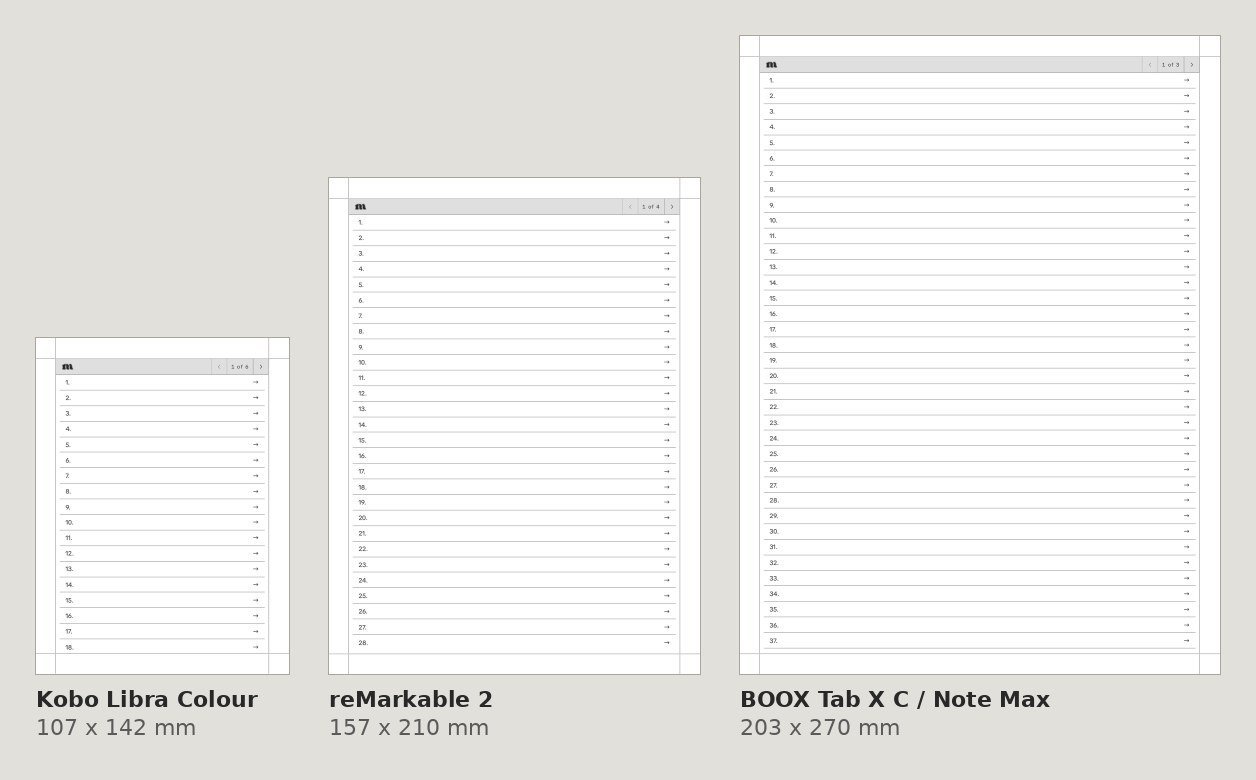
What a wrong size looks like
When a PDF made for one screen opens on another, the tablet shrinks or stretches it to fit. You’ll usually see one of these:
- White or grey bars above and below the page, or down the sides.
- Lines and text that look smaller than they should, so the line spacing feels cramped.
- The page cut off at the edges if you zoom in to fill the screen.
Zooming in can hide the bars, but it doesn’t fix the spacing, and on some tablets you’d have to zoom on every page. The real fix is the file drawn for your tablet.
Check which file you have
When you buy a single product you pick your device at checkout and get its files. In a bundle, each download is named with its device, so make sure you open the one that matches your tablet. See where to find your download.
Page sizes we use
- Supernote: Nomad 119 x 159 mm, Manta 163 x 217 mm.
- Kindle Scribe: 10.2 inch (2022 and 2024) 157 x 210 mm, 11 inch (all 2025 models, including the Colorsoft) 167.6 x 223.5 mm.
- reMarkable: reMarkable 2 and Paper Pure 157 x 210 mm, Paper Pro 180 x 240 mm.
- BOOX: Tab Mini C 119 x 158 mm, Note Mini C 130 x 173.4 mm, 10.3 inch 157 x 210 mm, 13.3 inch (Tab X C / Note Max) 203 x 270 mm.
- Kobo: Libra Colour 107 x 142 mm, Sage 122 x 163 mm, Elipsa and Elipsa 2E 157 x 210 mm.
- Fujitsu Quaderno A5: 157 x 210 mm.
- iPad: iPad mini 118 x 180 mm, 11 inch iPad, iPad Air and iPad Pro 158 x 227 mm, 13 inch iPad Air and iPad Pro 197 x 263 mm.
Switching to a new tablet
A single purchase comes in the size for the tablet you picked. Some tablets share a screen size, like the reMarkable 2 and Paper Pure, so one file works on both, and the sizes above show which ones match. If you move to a tablet with a different size, you’d need the file for that one. Our brand bundles include every size we make for that brand.
Picked the wrong device?
Contact us with your order number and the tablet you actually have, and we’ll make it right.