If you’re looking for a reMarkable Methods alternative, the main question is whether you’d rather subscribe to a library of templates or buy the files you want once. Methods is reMarkable’s own library of templates and workbooks, and it comes with a Connect subscription at $3.99 a month or $39.90 a year. Our planners and notebooks are PDF files you buy once and keep, sized for your reMarkable. We make them, so we’re not neutral, but we’ll give you the facts and tell you when Methods is the better pick.
What reMarkable Methods is
Methods is a website, methods.remarkable.com, where you browse templates and workbooks and tap Import to send one to your tablet. reMarkable describes it as “a selection of new templates and PDFs that you can import as workbooks.” The items are grouped into collections such as managing projects, taking better meeting notes, being productive and making decisions, and there are calendars, an Eisenhower Matrix, a gratitude journal and meeting minutes among them.
There are two kinds of item. Templates go into your template menu, where you pick them from the Layers menu inside a notebook, the same way you’d pick a built-in lined or grid page. Workbooks are PDFs that land in My Files, like any other document.
You need Connect to download anything from Methods. reMarkable says so on its pricing page, where Methods is listed as a Connect feature and not part of the free plan. If you don’t already have Connect, there’s a 50-day free trial, so Methods is free to try at first.
The templates you already have for free
Before you pay for anything, it’s worth knowing what’s already on your tablet. Every reMarkable comes with a set of built-in templates, grouped into Creative, Grids, Life/organize and Lines, with pages like ruled, Cornell, music staves and simple daily and weekly planners. You don’t need Connect for any of them.
They have limits, though. reMarkable’s templates help page says built-in templates only work inside notebooks, not on PDFs, and that custom templates aren’t supported. A template is also a single page design that repeats. It can’t link a contents page to section 4, or a month to its days. That’s the gap both Methods workbooks and our files fill: whole documents with structure, not just a background behind your writing.
If the built-in lined and grid pages already do everything you need, you may not need Methods or us at all. Most people who come looking for a reMarkable Methods alternative want something more organized than that, like a dated planner for the year or a notebook split into projects.
What it costs over time
Connect is $3.99 a month, or $39.90 a year if you pay up front. That’s about $40 a year, every year, as long as you want new items from Methods. To be fair, Connect isn’t only Methods. It also adds things like unlimited cloud sync and editing your notes in the reMarkable phone and desktop apps, so if you’d keep it for those anyway, Methods is a bonus.
Our files work the other way. A ready-made planner or notebook for reMarkable costs between $9 and $18, once. The reMarkable Templates Bundle is $35 and the Work System Bundle is $25. You download the PDF, keep the file, and can download it again from your account whenever you need it. There’s no subscription to cancel.
What happens if you cancel Connect
This is the part people worry about most, and reMarkable doesn’t give a full answer. Its pricing page says files in the cloud aren’t deleted when you leave Connect, though files you haven’t edited for 50 days stop syncing to the phone and desktop apps. What they don’t say is whether Methods templates and workbooks you’ve already imported stay usable after you cancel. We couldn’t find an official answer, so if that matters to you, ask reMarkable support before you rely on it.
With a PDF you bought, there’s no question to ask. You keep the file on your computer as well as the tablet, and you can load it again on a replacement tablet of the same model. Each purchase is sized for one screen, so if you move to a different reMarkable model, you’d need that size. Our reMarkable bundles include every reMarkable size.
How the files compare
Here’s how the two stack up on the things owners ask us about.
- Who makes it: Methods is run by reMarkable, with items from reMarkable and from outside creators. Our files are made by two people, Rabia and Naeem, and Rabia paints every cover by hand.
- How you get it: Methods imports straight to the tablet from the website. Our files are PDFs you download, then send with the reMarkable app or USB.
- Which tablets: Methods is built for reMarkable, and some items have Paper Pro Move versions. We make two reMarkable sizes, one for the Paper Pro and one for the reMarkable 2 and Paper Pure (which share a 10.3 inch screen), and versions of most products for Supernote, Kindle Scribe, BOOX, Kobo and other tablets too.
- Links inside the file: we haven’t checked how each Methods workbook is linked, and you can see for yourself during the trial. Ours are hyperlinked throughout: our 2027 Daily Planner links the year to every month, week and day, and our weekly and monthly planners link down to each week or month, and every notebook has a tappable index and a breadcrumb on every page.
- Planner start day: every one of our planners comes with both a Sunday-start and a Monday-start version.
- How you pay: Methods needs an ongoing Connect subscription. Our files are a one-time purchase with a personal-use licence. All our sales are final, and if a file is faulty or wrong, you tell us within 7 days and we put it right.
When Methods makes sense
Methods is a good choice if you already pay for Connect. In that case it costs you nothing extra, and it’s worth importing the collections that match how you work. The meeting and decision-making workbooks are a nice way to try a new method without hunting for a file.
It also makes sense if you own a Paper Pro Move. reMarkable has Move versions of some items, and we don’t make a Move size yet. And if you like trying lots of different layouts for a few weeks each, a rotating library suits that better than buying files one at a time.
When a reMarkable Methods alternative makes more sense
A one-time PDF makes more sense if you don’t want Connect, or you’d rather not pay every year for templates. Methods does have a 2027 calendar workbook. Ours goes further if you want one planner that runs for the whole of 2027 with weekly and daily pages, every day linked from the year and month pages, or a notebook split into sections you name yourself, with an index for each.
It matters, too, if you own more than one tablet or might switch brands. A Methods item lives inside reMarkable’s system. Our files are standard PDFs, and we sell most of the same designs sized for other tablets, so if you switch brands you can buy the same layout in the new size.
How to load our files on a reMarkable
You don’t need Connect to use a PDF on your reMarkable. Download the file, then send it with the reMarkable desktop or phone app, or over USB. reMarkable has followed links inside PDFs since software version 2.6, so as long as your tablet is up to date, the links just work. Our guide to putting a PDF on your reMarkable walks through each route step by step.
Try one before you decide
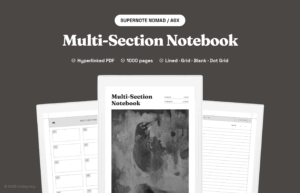
If you’re not sure, try both. If you haven’t used it yet, the Connect trial gives you 50 days of Methods, and our free samples (you just enter your email) give you the first 25 pages of our Multi-Section Notebook and all of January from our 2027 Daily Planner, sized for your reMarkable. Use them side by side for a week and keep whichever one you actually reach for. When you’re ready, you’ll find everything we make for your tablet on our reMarkable templates page.