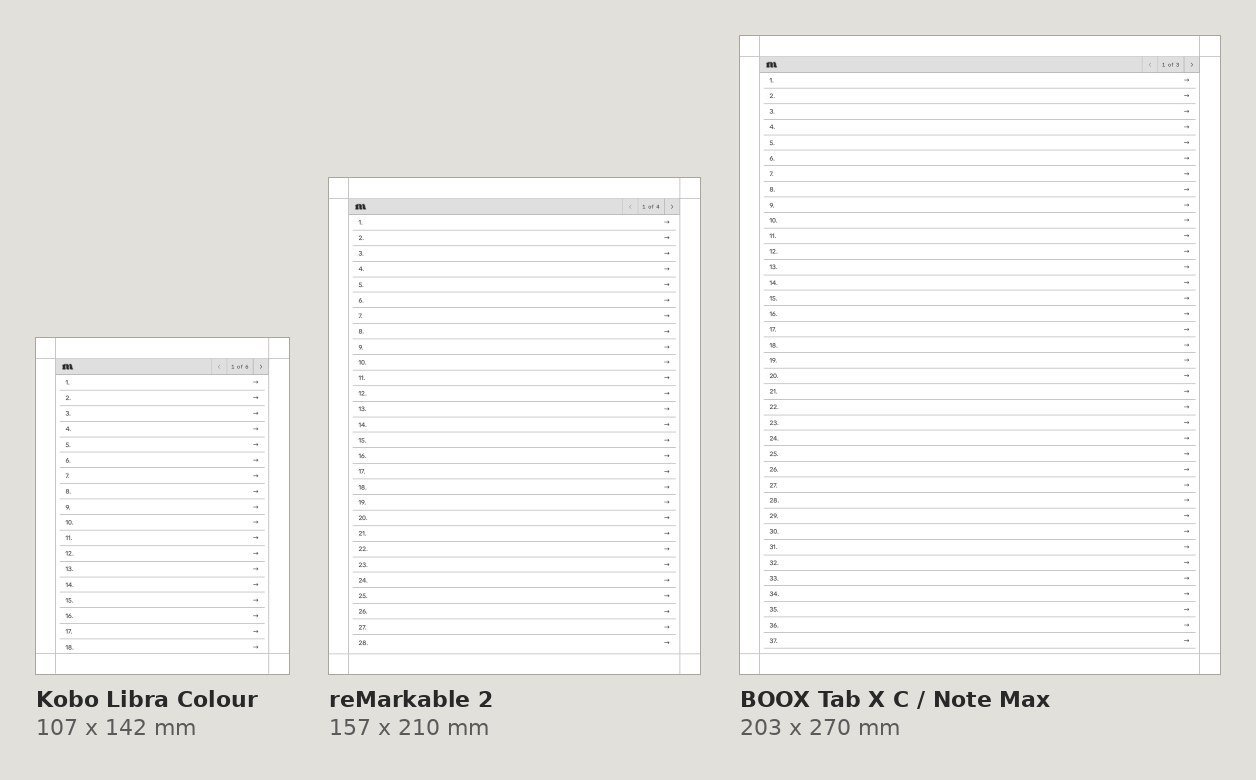
We draw every PDF at the exact page size of the tablet it’s for, so it fills the screen without zooming. A file made for one tablet won’t fit another tablet’s screen the same way.
Check which file you have
When you buy a single product you pick your device at checkout and get its files. In a bundle, each download is named with its device, so make sure you open the one that matches your tablet. See where to find your download.
Page sizes we use
- Supernote: Nomad 119 x 159 mm, Manta 163 x 217 mm.
- Kindle Scribe: 10.2 inch (2024) 157 x 210 mm, 11 inch (2025) and Colorsoft 167.6 x 223.5 mm.
- reMarkable: reMarkable 2 and Paper Pure 157 x 210 mm, Paper Pro 180 x 240 mm.
- BOOX: Tab Mini C 119 x 158 mm, Note Mini C 130 x 173.4 mm, 10.3 inch 157 x 210 mm, 13.3 inch (Tab X C / Note Max) 203 x 270 mm.
- Kobo: Libra Colour 107 x 142 mm, Sage 122 x 163 mm, Elipsa and Elipsa 2E 157 x 210 mm.
- Fujitsu Quaderno A5: 157 x 210 mm.
Picked the wrong device?
Contact us with your order number and the tablet you actually have, and we’ll make it right.