Business Meeting Notebook for Quaderno
$9
One-time purchase, lifetime access.
Save with the bundle Get this and 4 more for $35 The Quaderno Templates Bundle has all 5 notebooks in one purchase. $52 bought separately. See the bundle →Want different sections or page styles? Customize this notebook
Also available for
Meeting pages for Fujitsu Quaderno A5 and A5 Gen2, with attendees, notes, action items, and a Date and Topic index. Not A4.
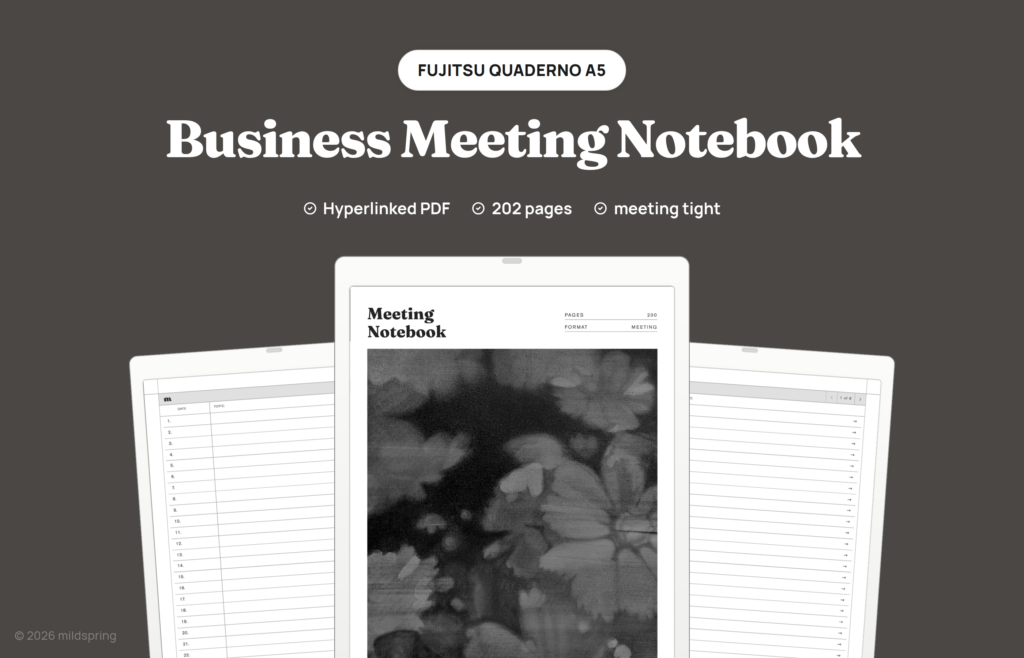
The Business Meeting Notebook for Quaderno is a hyperlinked PDF for people who fill pages during meetings and need those pages to stay findable afterward. Client reviews, internal standups, vendor calls, and one-to-ones all use the same structure: topic, date, time, attendees, location, a lined notes block, and an action list with task, owner, and due columns. The file holds 200 meeting pages, undated, so you open it on any calendar day and start writing. This quaderno meeting notebook is a single hyperlinked PDF for the A5.
It begins on a linked index with Date and Topic columns. Tap a numbered row and the Quaderno jumps to that meeting. Every meeting page has a breadcrumb back to the index, so the habit after a call is simple: label the row, close the book, and trust that you can find it again without scrolling through unmarked pages.
The cover artwork was painted by Rabia, who hand-paints the cover of every mildspring product.
One PDF. The meeting-tight template is the whole download. There is no second file for a different ruling.
What is inside this quaderno meeting notebook
- 209 pages total. One cover, eight index pages, and 200 meeting pages.
- A linked index with Date and Topic columns. Every numbered row jumps to its meeting.
- Header fields on each page: Topic, Date, Time, Attendees, and Location.
- A lined Notes block for the discussion on the A5 screen.
- An action items panel with Task, In Charge, and Due columns.
- A breadcrumb on every meeting page returning you to the index.
- PDF bookmarks for the cover and the Notes Index in the Quaderno navigation panel.
How a meeting page is meant to be used
Fujitsu’s Quaderno is built for document work, which makes it a strong place to keep a meeting archive, but only if the page itself separates noise from commitments. A blank PDF imported from somewhere else usually ends up as continuous handwriting. Attendees live in a corner. Action items hide inside paragraphs. A month later the archive is full and hard to use.
This page is stricter on purpose. Fill Topic, Date, and Time first, even if you only know the topic when the call starts. Add Attendees and Location on the second header row. Write the discussion in Notes as it happens. When someone accepts a follow-up, put it in the action panel immediately: the task, who is in charge, and when it’s due. End-of-meeting cleanup then means reading the right column once, not mining the left.
The index turns that discipline into retrieval. After the meeting, copy a short topic and the date onto the matching index row. Next time you need that conversation, you scan Topic, tap the row, and land on the page. The breadcrumb sends you back when you’re done reviewing.
One meeting per page keeps numbering honest. Skip a week and those pages stay blank until you need them. Need a second page for a long workshop? Use the next number and mark the topic field so both pages read as one meeting. Links never break because page numbers never move.
Why a meeting archive belongs on Quaderno
The Quaderno A5 is already good at holding PDFs you annotate and return to. Meeting notes fail on it for the same reason they fail on paper: the page never asks you to separate the talk from the tasks. After a month you have a folder of marked-up agendas and no reliable way to answer “who was supposed to send the revised quote.”
This notebook is that missing layer. It does not replace your calendar. It replaces the blank page you open when the meeting starts. Because every page has the same fields, your archive stays consistent whether the meeting was a board update or a five-person standup. Because the index is linked, last month’s vendor negotiation is a tap away instead of a scroll through eighty similar-looking pages.
People who already keep contracts and marked PDFs on the Quaderno tend to keep this file beside them. Before a follow-up call, open the earlier meeting page, read the action panel, then open a fresh page for the new call. The two pages stay next to each other in the index by date, which is how a digital meeting book earns its keep.
Working the action panel after the call
The action panel is not only for writing during the meeting. Plenty of people leave the Task column sparse while the call is live, then spend two minutes afterward turning messy Notes into clear rows with owners and due dates. That still works. The point is that the panel exists as a dedicated place, so the cleanup has somewhere to go that is not the margin.
When a task is done, you can tick or strike it on the page. When a task moves to another meeting, open a new page and reference the old meeting number in Notes. The old page stays as the historical record. Nothing in the file auto-archives or auto-deletes. You decide what stays visible.
How navigation works on Quaderno
Everything runs in the Fujitsu Quaderno’s own PDF reader. There’s no mildspring app and no special account. A PDF with internal links is a plain document to the device.
Tap an index row to open a meeting. Tap the breadcrumb to return to the list. Normal page-turn gestures still work. Bookmarks for Cover and Notes Index appear in the device’s own navigation panel, so you can jump to those spots without remembering page numbers.
Keep the file as a PDF. Don’t convert or reflow it. The fixed layout and the tap links are the product. A converted copy loses both.
Made for the Fujitsu Quaderno A5
This version is sized for the Fujitsu Quaderno A5 (including A5 Gen2). A5 Gen2 shares the same page size we cut for, so one file covers both. The page is 157 by 210 millimetres, drawn to fill that 10.3 inch class screen at native size so nothing is scaled up, letterboxed, or cropped. The meeting fields sit at the spacing we drew, not at whatever a fit-to-screen zoom decides.
That exact fit is also why this listing is for the A5 only. If you own a Quaderno A4, wait for us rather than buying this one and stretching it onto a 13.3 inch panel. We only sell the sizes we’ve actually cut.
The same notebook is drawn for other tablets too. If you also use another device, look at the Supernote, reMarkable, and Kindle Scribe versions, each cut to that screen.
Which of our Quaderno notebooks to pick
We draw five notebooks for Quaderno. They differ in page structure. This one is for meeting logs.
Pick the Business Meeting Notebook when most of your writing happens in meetings and you want attendees and action items built into every page.
Pick the Classic Notebook when you want a long general notebook with 100 entries at five pages each and four ruling files included.
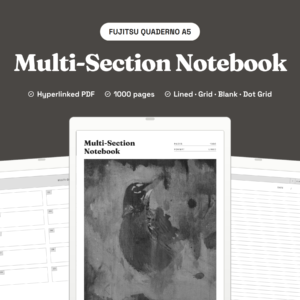
Pick the Multi-Section Notebook when several streams need their own indexes across 1,000 pages in ten sections.
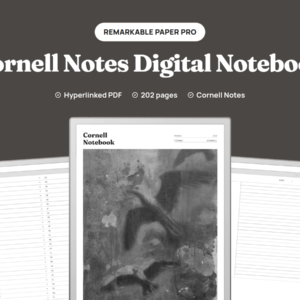
Pick the Cornell Notes Digital Notebook when you want a cue column, notes block, and summary band for lectures or reading notes.
Pick the Bullet Journal for short logged entries on 200 dot grid pages.
They all share the same tap-to-jump navigation and the same 157 by 210 mm A5 page, so moving between them stays familiar.
Getting it onto your Quaderno
After checkout you get one PDF. Save it on a computer first so you have a clean master copy.
Connect the Quaderno over USB and copy the PDF into the documents area the same way you would any other file, or use the Fujitsu desktop tools if that’s how you already move documents across. Once the file is on the device it opens in the built-in reader, and your handwriting is saved into the document as you write.
There’s nothing to unpack and nothing to convert. Keep it as a PDF so the page layout and the links stay intact.
What you get at checkout
One purchase, one PDF, no subscription, no expiry. Re-download whenever you need. When the 200 meetings are full, download a fresh copy and start a new book. Filled files remain as you left them.
Frequently asked questions
How many pages do I get?
209 pages: a cover, eight index pages, and 200 meeting pages.
Is this a single PDF?
Yes. One PDF. This product does not include separate lined or grid downloads.
Does this fit the Quaderno A4?
No. A4 is 13.3 inch. This file is the A5 page at 157 by 210 mm. We will add A4 as its own variation when that PDF is ready.
Do the links work on Quaderno?
Yes. Index rows and breadcrumbs are standard PDF links. Bookmarks for the cover and Notes Index appear in the navigation panel.
What fields are on each meeting page?
Topic, Date, Time, Attendees, and Location, a lined Notes area, and an action panel with Task, In Charge, and Due.
Is it dated?
No. Date and Time are blank fields you fill in, and the index Date column stays empty until you write it.
Can I use it for one-to-ones?
Yes. Put one name in Attendees. The action panel still holds Task, In Charge, and Due.
Do I need an internet connection after import?
No. Once the PDF is on the Quaderno it opens offline in the built-in reader.