
Reading Journal for iPad
$9
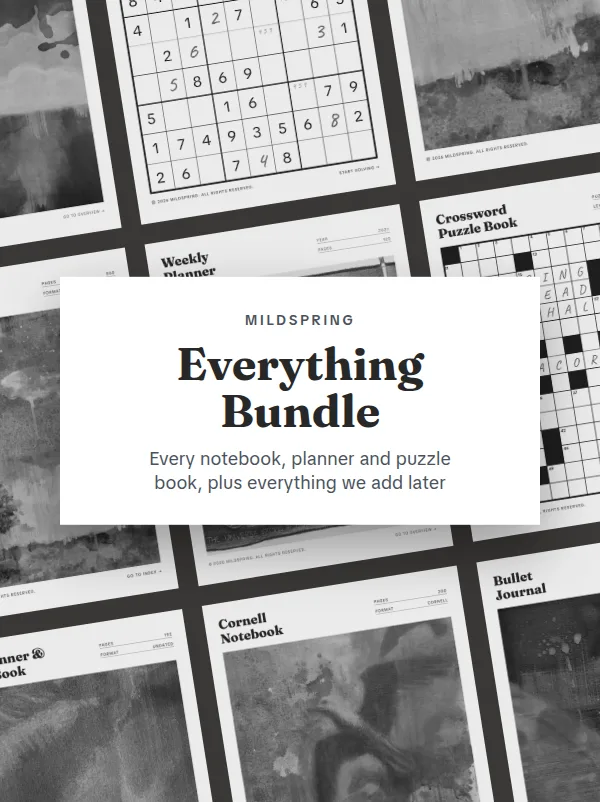 Save with the bundleGet it in the Everything BundleThis product plus 26 more for iPad: notebooks, planners and puzzle books.$69
- Instant download
- Lifetime access
- Works offline
Also available for






About this product
A digital reading journal and book tracker for iPad: a 100-book goal, a page for each book, quotes, a series tracker and a reading challenge in one undated reading journal PDF of about 140 pages.
The Reading Journal for iPad imports into your notes app as one notebook, ready for a year of reading notes in Apple Pencil. This iPad reading journal is an undated, hyperlinked PDF with a goal of up to 100 books, a page for each one, your favorite quotes and a look back at the end of the year.
Keep it next to whatever you read on, and when a line stops you, add it to the quotes pages with the book and page number.
What is inside the iPad reading journal
- Reading goal. Pick a target and list up to 100 books. Each number opens that book’s page.
- 100 book pages: title, author, genre, start and finish dates, pages, format, a rating from 1 to 5, notes and a line worth keeping.
- 8 to-read pages with a box to tick when you get the book.
- 12 pages of favorite quotes, with the book and page for each.
- Series tracker. Two pages for tracking each series, its author and how far you’ve read.
- Reading challenge of 24 prompts, from a book in translation to one you’d never usually pick.
- Year in books. Books and pages each month, your book of the year, and what you want to read next.
- 10 lined pages for reading notes.
About 140 pages in all, linked by a contents page, a book log index and a bar at the top of every page.
How it works
Tap links with your finger: a section on the contents page, a book’s number on the reading goal page, or the bar at the top of a page to head back. In Goodnotes, if a tap ever writes instead of jumping, touch and hold the link and choose Open Link. Noteshelf’s Return to Page button takes you back after a jump. Try not to add, delete or move pages, because in some apps that can make a link land on the wrong page. If it happens, import a fresh copy.
The easiest way in is to download it on the iPad. Open your order email in Safari, tap the download link, then tap Share and Save to Files. If Safari downloads it instead, look in Files under iCloud Drive, then Downloads. Import it as a new notebook: in Goodnotes, tap + New, then Import. In Notability, touch and hold + New, tap Import, and leave Add space on None so pages keep their size. Our iPad PDF guide has steps for each app.
No dates or weekdays are printed, so start any time. Want to track habits too? See the Habit Tracker for iPad.
Made for these devices
We draw three page sizes because the screens are different shapes: iPad mini at 118 by 180 mm, the 11 inch iPad, iPad Air and iPad Pro at 158 by 227 mm, and the 13 inch iPad Air and iPad Pro at 197 by 263 mm. Pick yours at checkout and there are no blank bands at the top or bottom. Settings, then General, then About shows your model.
Frequently asked questions
Is it dated?
No. There are no dates or weekdays, so use it for any year.
Which iPad models does it fit?
iPad mini, iPad 11 inch and iPad 13 inch. Pick yours from the Device menu and the file is sized for that screen.
Which notes app should I use?
We tested our iPad notebooks in Goodnotes, Notability, Noteshelf, CollaNote and Apple Books, and the links landed on the right page in each. Skip Microsoft OneNote. It turns each PDF page into a picture, so the links stop working.
How do I get the file?
After checkout you can download it from your order confirmation page, your order email or My downloads. All our sales are final; if a file is faulty or you received the wrong one, email us within 7 days and we’ll put it right.
Delivery and refunds
Delivery
Instant download after checkout. Add the PDF to your device with its companion app or cloud sync. Need help? See our step-by-step guides.
Refunds
Since these are digital files, we can't offer refunds after download. If something is wrong with your file, get in touch and we'll make it right.
More templates like this

Get every file we make for your iPad
27 products in one purchase, $295 if you bought them one by one.
- 8 notebooks and journals
- 11 planners
- 8 puzzle books
- Every product we add later, at no extra cost
$69 $99 one-time
Launch price until 29 December, then $99.
Get the Everything BundleInstant download. Yours to keep, no subscription.