Project Planner for Kobo
$14
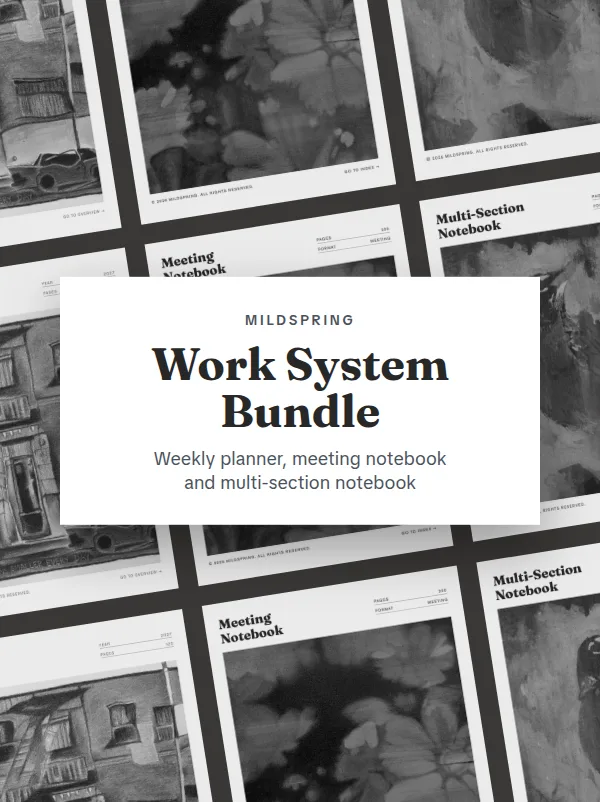 Save with the bundleGet it in the Work System BundleThis planner plus 3 more notebooks and planners for Kobo.$29
- Instant download
- Lifetime access
- Works offline
Also available for






About this planner
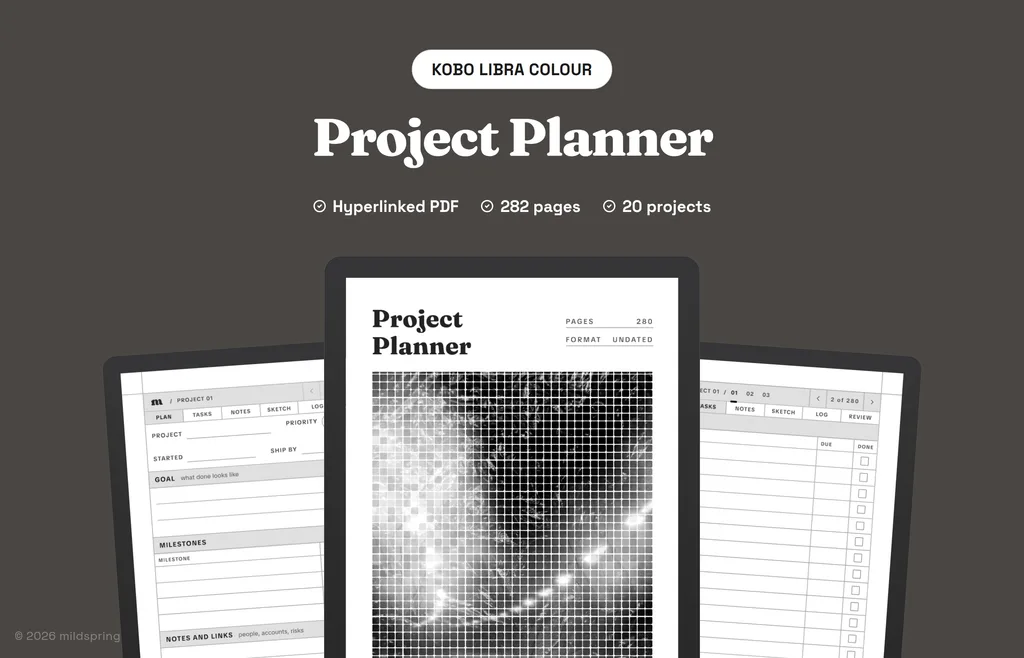
An undated project planner for Kobo: 20 projects, each with a plan, tasks, notes, sketch grid, log and review in one PDF.
The Project Planner for Kobo gives each of up to 20 projects its own set of pages: a plan, three pages of tasks, three of notes, three of sketch grid, three of log and a review at the end. It’s an undated project planner for side projects, client work, a renovation or a launch, and you write on it with your pen like any other page.
The first page lists all 20 projects with Active, Paused and Done bubbles, so you can see what’s moving at a glance.
The cover is a fine mosaic of Rabia’s road lights painting. She paints the art for every mildspring cover.
What is inside the project planner
- Projects index, 1 page. Twenty numbered rows to name each project and mark it Active, Paused or Done.
- Plan, 1 page per project. The project name, a priority from 1 to 3, start and ship-by dates, what done looks like, milestones with due dates and done boxes, and space for notes, links and people.
- Tasks, 3 pages per project. A task list with a due date and a box to tick.
- Notes, 3 pages per project. Dot grid for meeting notes, research and ideas.
- Sketch, 3 pages per project. A small grid for wireframes, diagrams and floor plans.
- Log, 3 pages per project. A week-of line, then rows for the date, what you did, what’s next and a box for anything you shipped.
- Review, 1 page per project. The finish date, how it went from 1 to 5, what worked, what didn’t, what you’d do differently and the results.
That’s 14 pages for each project and 282 pages in the file, including the cover and the index.
How it works
Your Kobo gets the PDF from Google Drive or Dropbox. On the Kobo, tap More, then My Google Drive, then Get Started, and enter the code at kobo.com/googledrive. Put the PDF into the Rakuten Kobo folder that appears in your Drive, sync over Wi-Fi, and it shows up in My Books. For Dropbox, go to More, Settings, Accounts and enter the code at kobo.com/dropbox. You’ll need Kobo software 4.37 or newer for Google Drive and 4.18 or newer for Dropbox. Our Kobo PDF guide has the full steps.
Name a project on the index, open it and fill in the plan first. Each project is 14 pages in a fixed order, and every page is numbered, so you can also find your place by turning pages. Every box on a page uses the same line spacing, and the rows run right to the bottom edge, so no space goes to waste.
For meetings about the work, the Business Meeting Notebook for Kobo keeps a page per meeting, and the Multi-Section Notebook for Kobo holds longer notes in ten sections. The Work System Bundle for Kobo has all three.
Made for these devices
There are three sizes: Kobo Libra Colour (107 by 142 mm), Kobo Sage (122 by 163 mm) and Kobo Elipsa / Elipsa 2E (157 by 210 mm). On the Libra Colour all 20 projects still fit on the one index page.
Frequently asked questions
Is it dated?
No. You write the start and ship-by dates on each project, so you can begin any project on any day.
What happens when I fill all 20 projects?
Buy the file again or download it a second time from My downloads, and you have a fresh set of 20.
Do my notes sync between devices?
No. Your handwriting stays on the Kobo you wrote it on. It doesn’t sync to the Kobo app or to another Kobo, and Kobo says a reset or signing out of the reader loses your notes.
Which Kobo models does it fit?
Kobo Libra Colour, Sage and Elipsa / Elipsa 2E. Pick yours from the Device menu and the file is sized for that screen.
How do I get the file?
After checkout you can download it from your order confirmation page, your order email or My downloads. All our sales are final; if a file is faulty or you received the wrong one, email us within 7 days and we’ll put it right.
Delivery and refunds
Delivery
Instant download after checkout. Add the PDF to your device with its companion app or cloud sync. Need help? See our step-by-step guides.
Refunds
Since these are digital files, we can't offer refunds after download. If something is wrong with your file, get in touch and we'll make it right.
More templates like this
Get every file we make for your Kobo
27 products in one purchase, $295 if you bought them one by one.
- 8 notebooks and journals
- 11 planners
- 8 puzzle books
- Every product we add later, at no extra cost
$69 $99 one-time
Launch price until 29 December, then $99.
Get the Everything BundleInstant download. Yours to keep, no subscription.