A to Z Index Book for Kobo
$14
- Instant download
- Lifetime access
- Works offline
Also available for





About this product
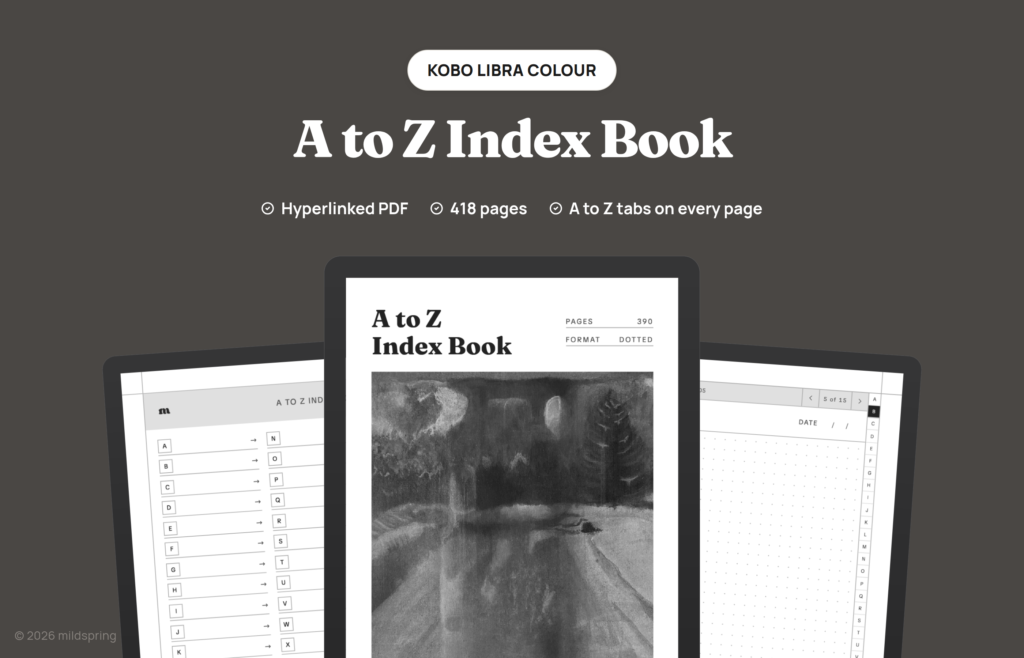
A hyperlinked A to Z index PDF for Kobo e-readers, with 26 letter indexes, an A to Z tab strip on every page, and 390 dotted pages.
Delivery and refunds
Delivery
Instant download after checkout. Copy the PDF to your device over USB, its companion app or cloud sync.
Refunds
Since these are digital files, we can't offer refunds after download. If something is wrong with your file, get in touch and we'll make it right.
The A to Z Index Book for Kobo files your notes by letter, the way the tabs on a paper address book do. A letter strip runs down the side of every page and links to that letter’s index, and each index lists its entries. It suits anything you look up by name: people, clients, recipes, words or books.
What is inside
- 26 letter indexes, one for each letter.
- An A to Z tab strip on every page.
- 390 dotted writing pages, 15 for each letter.
That comes to 418 pages in one file.
How it works
It’s one PDF. Connect your Kobo to your computer with a USB cable, drag the file into the KOBOeReader drive, eject it, then open it from My Books and write on any page with the stylus. Kobo’s own guide has the steps: add PDF files to your Kobo using your computer.
Three Kobo sizes
Choose your Kobo from the Device menu. The page is drawn at 107 by 142 millimetres for the Kobo Libra Colour, 122 by 163 millimetres for the Kobo Sage and 157 by 210 millimetres for the Kobo Elipsa and Elipsa 2E. Our custom notebook and custom planner builders can make other layouts for the same three Kobos.
Pages by device
Page size and page count for each device in this product.
- Kobo Libra Colour: 107 by 142 mm, 418 pages
- Kobo Sage: 122 by 163 mm, 418 pages
- Kobo Elipsa / Elipsa 2E: 157 by 210 mm, 418 pages
Frequently asked questions
Which Kobo is it for?
The Kobo Libra Colour, the Kobo Sage and the Kobo Elipsa / Elipsa 2E. Pick yours from the Device menu so the page matches your screen.
How do I put it on my Kobo?
Connect your Kobo to your computer with a USB cable, tap Connect on the reader, drag the PDF into the KOBOeReader drive and eject it. Then open My Books and tap the title.
How do I find a note?
Find its first letter on the side strip, then its entry in that letter’s index.
How do I get the file?
After checkout you can download it from your order confirmation page, your order email or the Downloads tab in My Account.
Reviews
No reviews yet.
Bought this? Log in to leave a review.