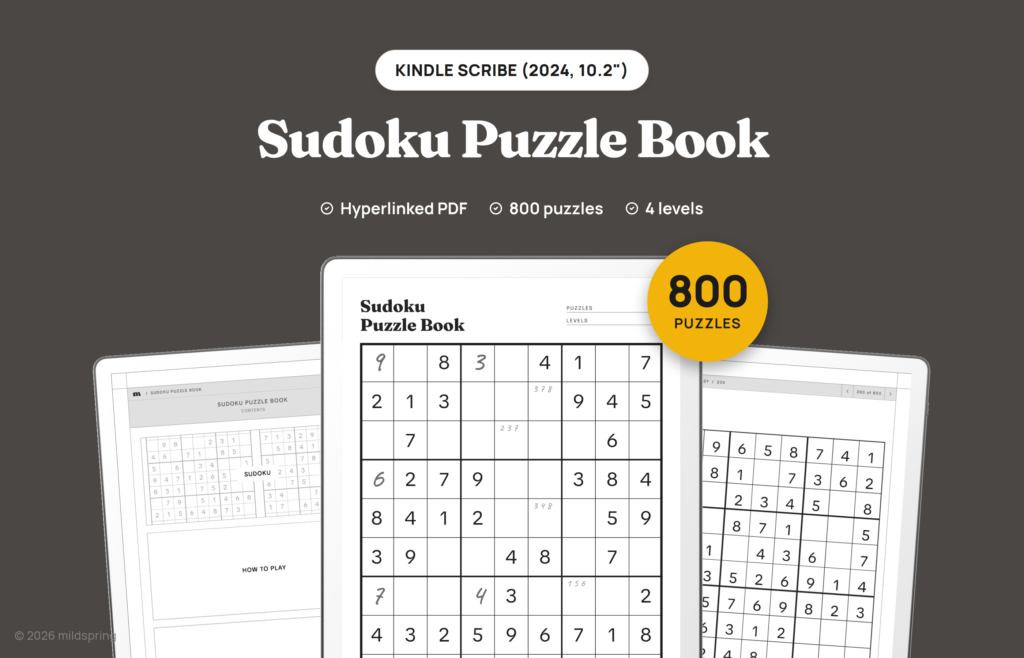
Sudoku Puzzle Book for Kindle Scribe
$9
- Instant download
- Lifetime access
- Works offline
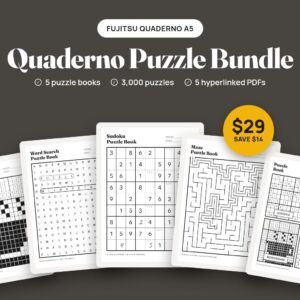
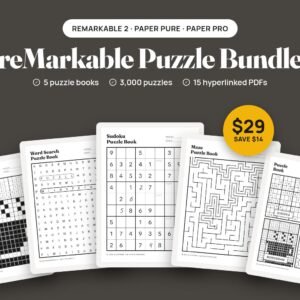
Save with the bundle
$43 bought separately Get this and 4 more for $29Also available for



About this puzzle book
800 sudoku puzzles in four levels as a hyperlinked PDF for Kindle Scribe, with a tappable difficulty page, a checklist for each level and every answer at the back.
The Sudoku Puzzle Book for Kindle Scribe is a hyperlinked PDF with 800 sudoku puzzles, 200 at each of four levels: Easy, Medium, Hard and Very Hard. Each puzzle gets its own page with the grid drawn across the full width of the screen, so there’s room to write a digit in every square and still fit small pencil marks in the corners.
We checked every puzzle with a solver before shipping the file, and each one has exactly one solution. The answers sit at the back of the book, grouped by level.
What is inside
- 800 puzzles, one per page, numbered 1 to 800.
- Four levels of 200 puzzles each. Easy puzzles start with 62 numbers filled in, Medium with 53, Hard with 44 and Very Hard with 35.
- A Choose difficulty page with one tappable box per level.
- A list for each level with every puzzle as a tappable row and a tick box to mark the ones you’ve finished.
- A How to play page with the rules and a short solving method.
- Answers for all 800 puzzles, six solved grids per page.
How the levels work
The levels are set by how many of the 81 squares are filled in when you start. Easy leaves 19 to solve, which makes a good warm-up. Very Hard starts with 35, so most of the grid is yours to work out and you’ll lean on pencil marks a lot more. The puzzles are numbered straight through the book: Easy is 1 to 200, Medium 201 to 400, Hard 401 to 600 and Very Hard 601 to 800.
Details
- Kindle Scribe 10.2 inch (2024) file: 913 pages, about 4.4 MB, page size 157 by 210 mm.
- Kindle Scribe 11 inch (2025) and Colorsoft file: 913 pages, about 4.4 MB, page size 168 by 224 mm.
- Format: hyperlinked PDF with bookmarks. No app or subscription needed.
How navigation works
Everything runs in the Kindle Scribe’s own PDF reader, with no app to install. The cover opens on a contents page, and every list, puzzle and answer page has a breadcrumb at the top that takes you back a level in one tap, plus arrows to the previous and next page. Each puzzle page has a small Answer link in the corner that opens the page with its solution, and the number on each answer links back to its puzzle.
The PDF also carries bookmarks for the cover, the contents page, each section and the answers, for any reader that shows a PDF’s outline.
Getting it onto your Kindle Scribe
After checkout you get one download for the Scribe you picked. Grab it on a computer or phone first so you have a copy you can find again.
Then send it with Amazon’s Send to Kindle, from the Kindle app or the Send to Kindle page in a desktop browser, and keep it as a PDF. Don’t let it convert to Kindle format, because a converted file loses the fixed page layout and the tap links. Amazon only lets you write directly on PDFs that come in through Send to Kindle. A copy moved over a USB-C cable opens and reads fine, but you can’t write on its pages.
It’s a digital download. There’s nothing to print or ship, and the PDF is yours to keep and download again.
Frequently asked questions
Which level should I start with?
If you’re new to sudoku, start on Easy: each puzzle has 62 of the 81 squares filled in, so there are only 19 to work out. If you already solve newspaper sudoku, Hard (44 given) or Very Hard (35 given) will feel closer to what you’re used to.
Will I see the answer to the next puzzle by accident?
The answers are at the back of the book, grouped by level and six to a page, so you only see them when you go looking. The Answer link on each puzzle page takes you to the page that holds its solution.
Can I erase my answers?
Yes, as long as the file came in through Send to Kindle. Your writing sits on top of the PDF page, so the Scribe’s eraser removes your digits, lines and pencil marks and leaves the printed puzzle as it was.
Can I copy it over with a USB-C cable?
You can, but you won’t be able to write on it. Amazon only lets you write directly on PDFs that arrive through Send to Kindle. A PDF copied over USB-C opens and reads fine, but the pen won’t write on its pages, so send it with Send to Kindle and keep it as a PDF.
Which Kindle Scribe models does this fit?
The 10.2 inch Kindle Scribe (2024) and the 11 inch Kindle Scribe (2025) and Kindle Scribe Colorsoft. Each size gets its own file drawn for its screen, so choose yours at checkout.
Can I print it?
It’s laid out for the tablet screen, not for paper. You can print pages for your own use, but they come out at the tablet’s page size rather than a full sheet.
More puzzle books for Kindle Scribe
Delivery and refunds
Delivery
Instant download after checkout. Send the PDF to your Scribe with Amazon's Send to Kindle and keep it as a PDF, since you can only write on PDFs that arrive that way.
Refunds
Since these are digital files, we can't offer refunds after download. If something is wrong with your file, get in touch and we'll make it right.