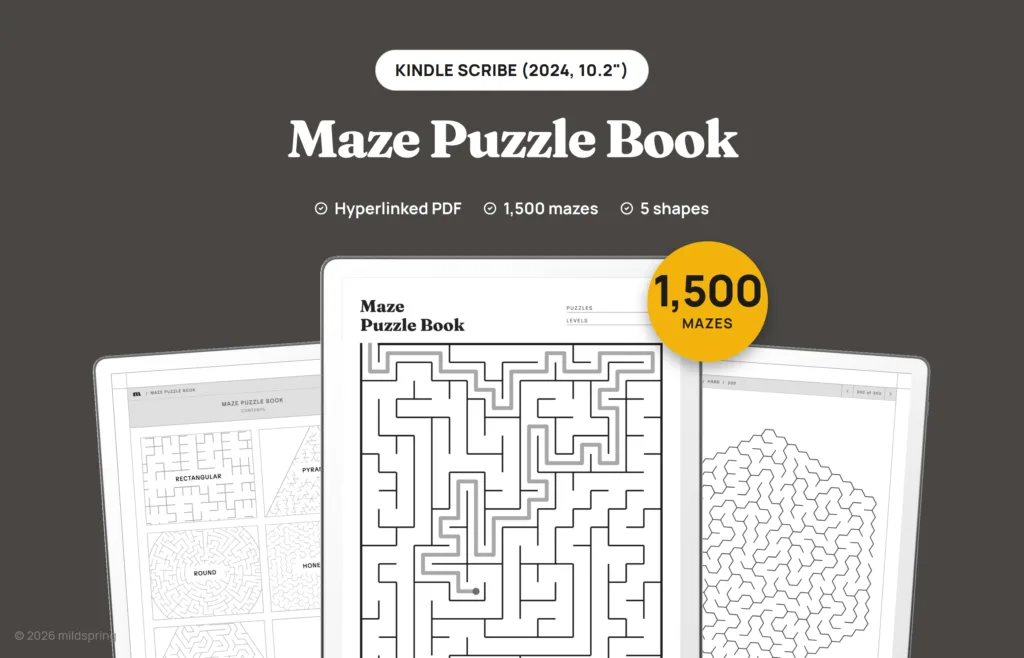
Maze Puzzle Book for Kindle Scribe
$9
- Instant download
- Lifetime access
- Works offline
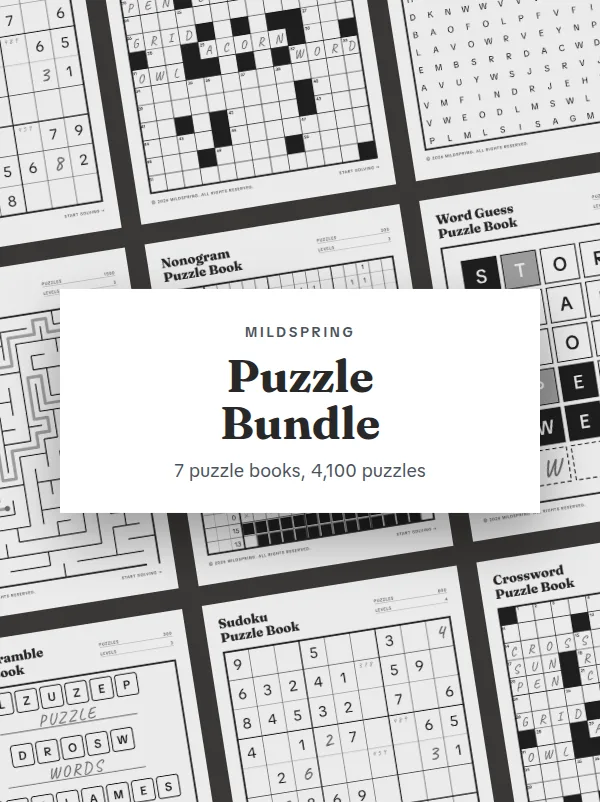
Save with the bundle
$63 bought separatelyGet this and 6 more for $29Also available for






About this puzzle book
A maze puzzle book for Kindle Scribe with 1,500 mazes, each drawn across the full width of the screen so you can trace the path without zooming in. Five shapes, from classic grids to honeycomb and round mazes, at three levels.
The Maze Puzzle Book for Kindle Scribe is a hyperlinked PDF with 1,500 mazes in five shapes: rectangular, pyramid, round, honeycomb and triangle grid. Each shape has 100 mazes at each of three levels, Easy, Medium and Hard, and every maze gets its own page drawn across the full width of the screen, so you can trace the path with the pen without zooming in.
What is inside
- 1,500 mazes, one per page.
- Rectangular mazes: 300, on grids of 10 by 13 cells (Easy), 14 by 18 (Medium) and 18 by 24 (Hard). You go in at the top left and out at the bottom right.
- Pyramid mazes: 300 triangle-shaped mazes made of triangular cells, with the way in and the way out at the two bottom corners.
- Round mazes: 300 circular mazes with 7, 10 or 13 rings. You start in the small circle in the centre and find your way out through the gap in the outer ring.
- Honeycomb mazes: 300 six-sided mazes made of hexagon cells, with 91, 169 or 271 cells by level. You go in through the gap on the left side and out on the right.
- Triangle grid mazes: 300 six-sided mazes made of small triangles, with 150, 294 or 486 cells by level, so the paths zigzag at sharp angles. You go in on the left point and out on the right.
- A Choose difficulty page for each shape, and a list for each level with a tick box for every maze.
- A How to play page at the front.
Details
- Kindle Scribe 10.2 inch (2024) file: 1,538 pages, about 8.1 MB, page size 157 by 210 mm.
- Kindle Scribe 11 inch (2025) and Colorsoft file: 1,538 pages, about 8.1 MB, page size 168 by 224 mm.
- Format: hyperlinked PDF with bookmarks. No app or subscription needed.
How navigation works
Everything runs in the Kindle Scribe’s own PDF reader, with no app to install. The cover opens on a contents page, and every list and puzzle page has a breadcrumb at the top that takes you back a level in one tap, plus arrows to the previous and next page.
The PDF also carries bookmarks for the cover, the contents page, and each section, for any reader that shows a PDF’s outline.
Getting it onto your Kindle Scribe
After checkout you get one download for the Scribe you picked. Grab it on a computer or phone first so you have a copy you can find again.
Then send it with Amazon’s Send to Kindle, from the Kindle app or the Send to Kindle page in a desktop browser, and keep it as a PDF. Don’t let it convert to Kindle format, because a converted file loses the fixed page layout and the tap links. Send to Kindle is the most reliable way to be able to write directly on the pages. Since spring 2026 some owners report they can also write on PDFs copied over USB, but Amazon hasn’t documented it.
It’s a digital download. There’s nothing to print or ship, and the PDF is yours to keep and download again.
Frequently asked questions
Is every maze solvable?
Yes. Each maze has exactly one route from the way in to the way out, and no part of it is closed off.
Where do the round mazes start?
In the small circle in the centre. You work your way outwards and leave through the single gap in the outer ring.
Can I erase my lines?
Yes, as long as the file came in through Send to Kindle. Your writing sits on top of the PDF page, so the Scribe’s eraser removes your lines and marks and leaves the printed puzzle as it was.
Which Kindle Scribe models does this fit?
The 10.2 inch Kindle Scribe (2024) and the 11 inch Kindle Scribe (2025) and Kindle Scribe Colorsoft. Each size gets its own file drawn for its screen, so choose yours at checkout.
Can I print it?
It’s laid out for the tablet screen, not for paper. You can print pages for your own use, but they come out at the tablet’s page size rather than a full sheet.
More puzzle books for Kindle Scribe
Delivery and refunds
Delivery
Instant download after checkout. Send the PDF to your Scribe with Amazon's Send to Kindle and keep it as a PDF, which is the most reliable way to be able to write on it. Need help? See our step-by-step guides.
Refunds
Since these are digital files, we can't offer refunds after download. If something is wrong with your file, get in touch and we'll make it right.


Get every file we make for your Kindle Scribe
24 products in one purchase, $260 if you bought them one by one.
- 7 notebooks and journals
- 9 planners
- 8 puzzle books
- Every product we add later, at no extra cost
$69 $99 one-time
Launch price until 29 December, then $99.
Get the Everything BundleInstant download. Yours to keep, no subscription.