Puzzle Book for BOOX
$7
- Instant download
- Lifetime access
- Works offline
Save with the bundle
$43 bought separately Get this and 4 more for $29Also available for





About this puzzle book
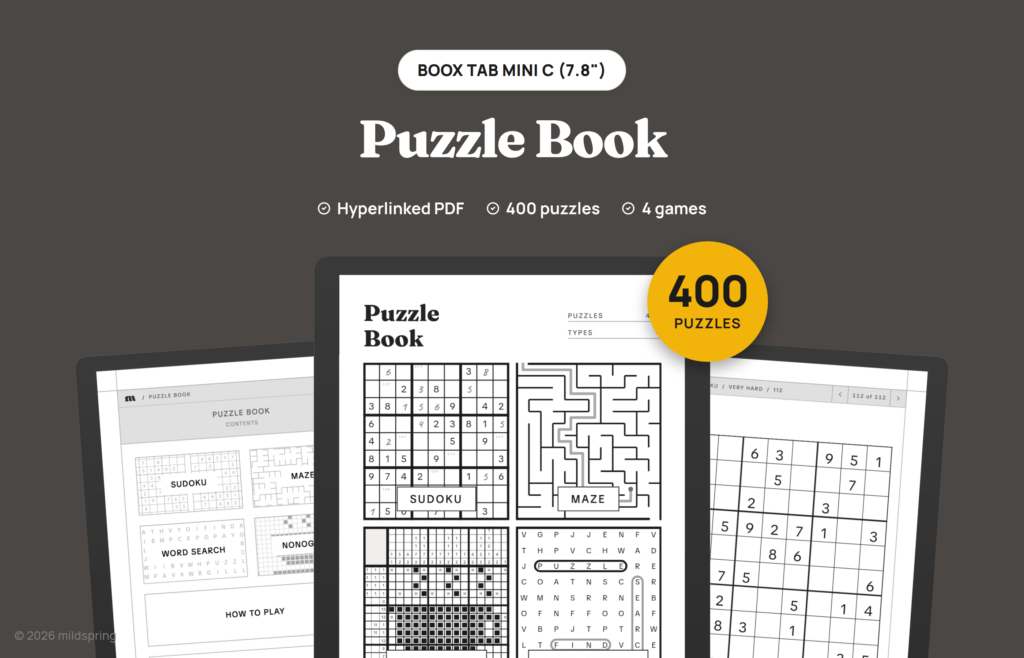
400 puzzles of four kinds as a hyperlinked PDF for BOOX: sudoku, mazes, word search and nonograms, each with its own difficulty levels and answers at the back.
The Puzzle Book for BOOX is a hyperlinked PDF with 400 puzzles of four kinds in one file: sudoku, mazes, word search and nonograms. If you’re not sure which kind you’ll enjoy most, it’s the easiest way to try all four, and each type has its own difficulty levels and its own answers at the back.
What is inside
- 112 sudoku puzzles at four levels, Easy to Very Hard (28 each).
- 96 mazes at three levels (32 each).
- 96 word search puzzles at three levels (32 each).
- 96 nonograms at three levels (32 each).
- A contents page with one tappable box per puzzle type, and a Choose difficulty page for each type.
- A How to play page for each type and answers for all 400 puzzles, grouped by type and level.
Each kind is drawn the same way as in its own full book, so if one becomes a favourite, the full sudoku, maze, word search and nonogram books carry on from there.
Details
- BOOX Tab Mini C (7.8″) file: 516 pages, about 2.9 MB, page size 119 by 158 mm.
- BOOX Note Mini C (8.5″) file: 506 pages, about 2.8 MB, page size 130 by 174 mm.
- BOOX Note Air 10.3″ file: 506 pages, about 2.9 MB, page size 157 by 210 mm.
- BOOX Tab Ultra 13.3″ file: 506 pages, about 2.9 MB, page size 203 by 270 mm.
- Format: hyperlinked PDF with bookmarks. No app or subscription needed.
How navigation works
Everything runs in your BOOX’s built-in PDF reader, with no extra app to install. The cover opens on a contents page, and every list, puzzle and answer page has a breadcrumb at the top that takes you back a level in one tap, plus arrows to the previous and next page. Each puzzle page has a small Answer link in the corner that opens the page with its solution, and the number on each answer links back to its puzzle. The links are standard PDF links, so tapping them works in the reader.
The PDF also carries bookmarks for the cover, the contents page, each section and the answers, for any reader that shows a PDF’s outline.
Getting it onto your BOOX
After checkout you get one download for the BOOX you picked. Grab it on a computer or phone first so you have a copy you can find again.
Then send it from your computer with BOOX’s BooxDrop transfer and open it in the built-in reader. Write on any page with the stylus.
It’s a digital download. There’s nothing to print or ship, and the PDF is yours to keep and download again.
Frequently asked questions
Are these the same puzzles as in the full books?
No. Every puzzle in this book was generated separately, so you won’t find repeats if you buy one of the full books later.
Does each type have levels?
Yes. Sudoku has Easy, Medium, Hard and Very Hard, and the mazes, word searches and nonograms each have Easy, Medium and Hard, with a Choose difficulty page for each type.
Can I erase my answers?
Yes. Your writing sits on top of the PDF page, so the eraser removes your digits, lines and pencil marks and leaves the printed puzzle as it was.
How do I get the file?
After checkout you can download it from your order confirmation page, your order email or the Downloads tab in My Account.
Which BOOX models does this fit?
The BOOX Tab Mini C (7.8″), Note Mini C (8.5″), Note Air 10.3″ and Tab Ultra 13.3″. Each size gets its own file drawn for its screen, so choose yours at checkout. Other BOOX models need a different file.
Can I print it?
It’s laid out for the tablet screen, not for paper. You can print pages for your own use, but they come out at the tablet’s page size rather than a full sheet.
More puzzle books for BOOX
- Sudoku Puzzle Book
- Maze Puzzle Book
- Word Search Puzzle Book
- Nonogram Puzzle Book
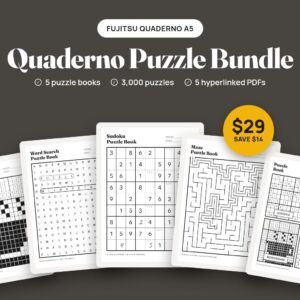
- BOOX Puzzle Bundle: all five books for $29
Delivery and refunds
Delivery
Instant download after checkout. Add the PDF to your device with its companion app or cloud sync.
Refunds
Since these are digital files, we can't offer refunds after download. If something is wrong with your file, get in touch and we'll make it right.