Meal Planner & Recipe Book for reMarkable
$12
- Instant download
- Lifetime access
- Works offline
Also available for






About this planner
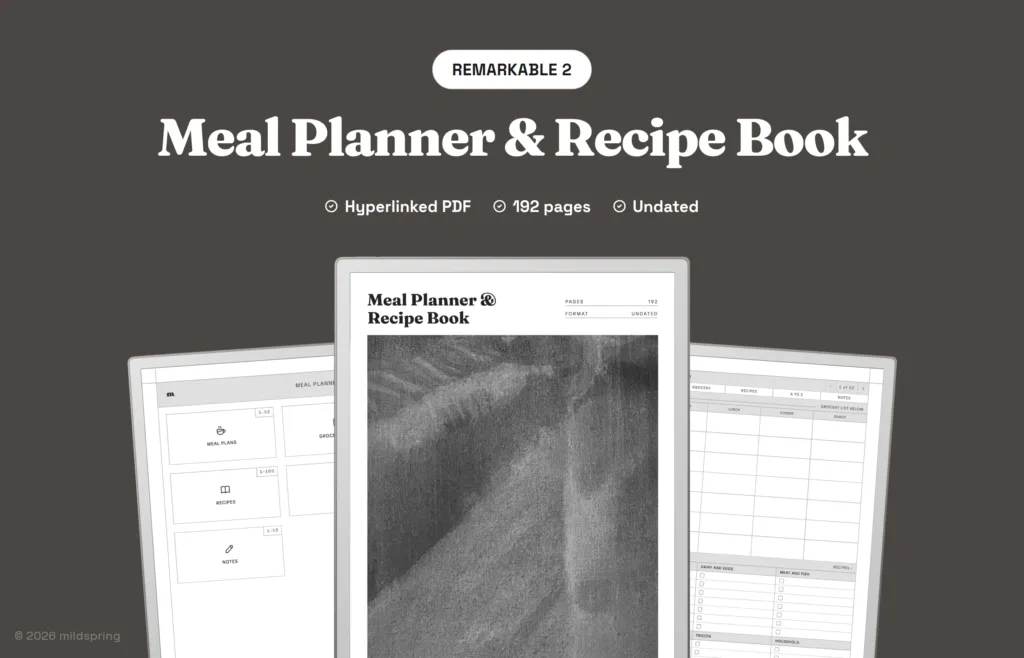
A digital meal planner and recipe book for reMarkable: 52 weekly meal plans with grocery lists, 100 recipe pages and an A to Z recipe index in one undated PDF of about 200 pages.
The Meal Planner & Recipe Book for reMarkable is an undated digital meal planner and recipe book: a hyperlinked PDF for planning the week’s meals, writing the shopping list and keeping your recipes in one place.
It works as a weekly meal planner, grocery list and recipe journal in one file, and every recipe can be found from an A to Z index.
What is inside the meal planner
- 52 weekly meal plans. Breakfast, lunch, dinner and a snack for each day, with a grocery list underneath split into produce, dairy and eggs, meat and fish, pantry, frozen and household.
- 4 grocery lists for bigger shops, with the same sections and a line for the store.
- 100 recipe pages. Tick breakfast, lunch, dinner, dessert, snack or baking, rate it out of five, and write serves, prep and cook time, the source, ingredients, method and notes.
- A to Z index. A page for each letter: write a recipe’s name and number, then tap the number to open it.
- 10 lined pages for kitchen notes.
That comes to about 200 pages in one file, with a contents page, an index for the meal plans and recipes, and a breadcrumb on every page.
How it works
Open the contents page and tap a section. From a meal plan you can jump straight to your recipes, and the breadcrumb at the top of any page takes you back. The PDF also has bookmarks for each section.
Import it with the reMarkable app on your computer or phone, or at my.remarkable.com, and it syncs to your tablet. Open it and write on any page. Our step-by-step guide covers each route.
Nothing is dated, so you can start any week of the year.
Frequently asked questions
Is it dated?
No. Each week has a line for the date, so you can start whenever you like and use it for any year.
Which reMarkable models does it fit?
reMarkable 2, Paper Pure, Paper Pro and Paper Pro Move. Pick yours from the Device menu and the file is sized for that screen.
How do I get the file?
After checkout you can download it from your order confirmation page, your order email or the Downloads tab in My Account. All our sales are final; if a file is faulty or you received the wrong one, email us within 7 days and we’ll put it right.
Delivery and refunds
Delivery
Instant download after checkout. Add the PDF to your device with its companion app or cloud sync. Need help? See our step-by-step guides.
Refunds
Since these are digital files, we can't offer refunds after download. If something is wrong with your file, get in touch and we'll make it right.