Budget Planner for Kobo
$12
- Instant download
- Lifetime access
- Works offline
Also available for






About this planner
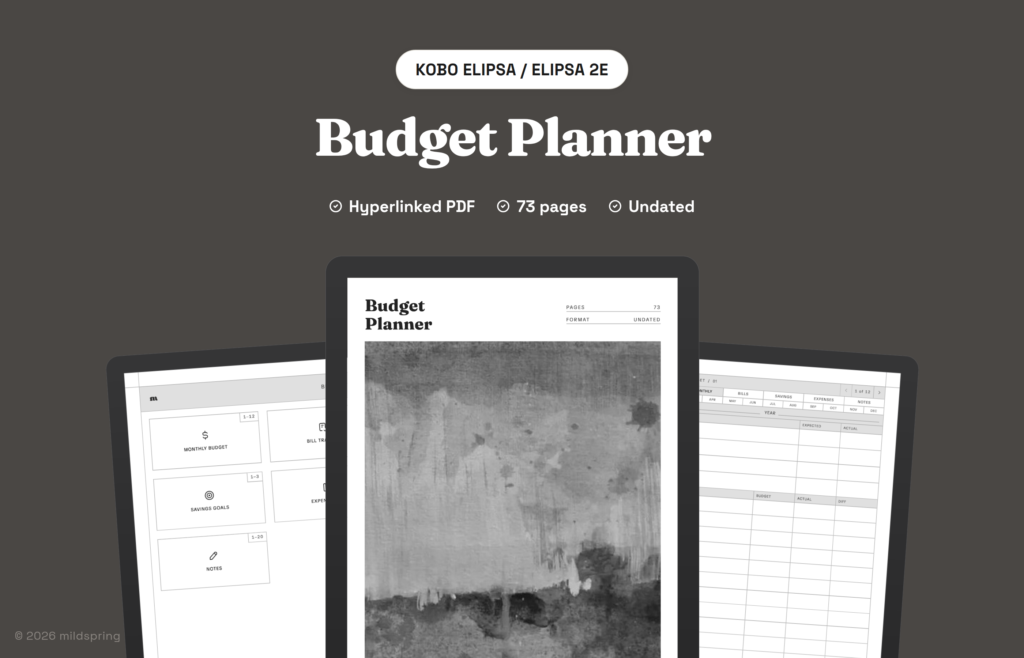
A digital budget planner for Kobo: 12 monthly budgets, a bill tracker, savings goals and a 36-page expense log in one undated budget planner PDF of about 75 pages.
The Budget Planner for Kobo is an undated digital budget planner: a hyperlinked PDF for planning each month, keeping up with bills, saving towards goals and writing down what you spend.
It is a monthly budget template, bill tracker, savings tracker and expense tracker in one file, so the whole year of money lives in one place.
What is inside the budget planner
- 12 monthly budgets. Income against what you expected, then budget, actual and the difference for 13 spending lines, from rent and groceries to subscriptions and savings, with totals and what is left over.
- Bill tracker. Two pages listing each bill with its due date and amount, and a box to tick for every month it is paid.
- Savings goals. Three pages with room for several goals. Write the target, the date and why it matters, fill one box for every 5% saved, and log each deposit.
- Expense log. 36 pages, three for each month, for the day, what it was, the category, how you paid and the amount, with a page total.
- 20 lined pages for money notes.
That comes to about 75 pages in one file, with a contents page, an index for each section and a breadcrumb on every page.
How it works
Open the contents page and tap a section. Each monthly page has the months along the top, so any month is one tap away, and the breadcrumb takes you back. The PDF also has bookmarks for each section.
Put it in the Rakuten Kobo folder in your Google Drive or Dropbox, then sync your Kobo over Wi-Fi and it shows up in My Books. Our step-by-step guide covers each route.
Nothing is dated, so you can start in any month of any year.
Frequently asked questions
Is it dated?
No. Months are named January to December, but no year is printed, so you can start whenever you like.
Which Kobo models does it fit?
Kobo Libra Colour, Sage and Elipsa. Pick yours from the Device menu and the file is sized for that screen.
How do I get the file?
After checkout you can download it from your order confirmation page, your order email or the Downloads tab in My Account. All our sales are final; if a file is faulty or you received the wrong one, email us within 7 days and we’ll put it right.
Delivery and refunds
Delivery
Instant download after checkout. Add the PDF to your device with its companion app or cloud sync. Need help? See our step-by-step guides.
Refunds
Since these are digital files, we can't offer refunds after download. If something is wrong with your file, get in touch and we'll make it right.