2027 Weekly Planner for reMarkable
$12
One-time purchase, lifetime access.
Also available for
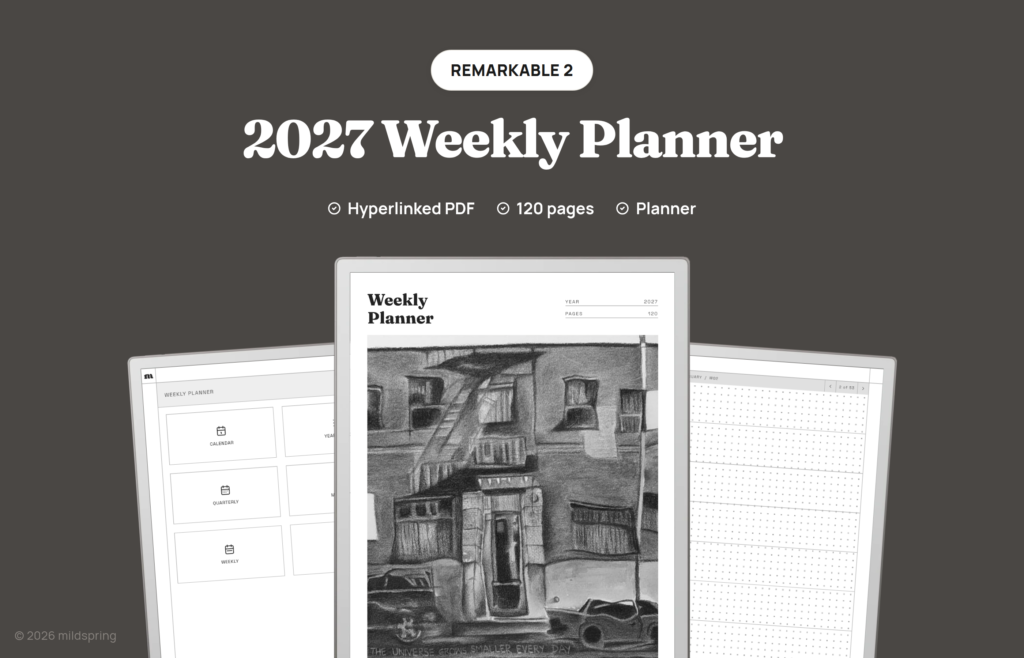
A dated 2027 weekly planner PDF for reMarkable 2, Paper Pure, and Paper Pro. 120 linked pages: year, quarters, months, a page for every week, and 40 notes pages.
The 2027 Weekly Planner for reMarkable is a dated, hyperlinked PDF that covers every week of 2027 on one page each. It’s a 2027 reMarkable weekly planner for people who plan the week as a whole: a row for each day to block out appointments and tasks, and a notes row for everything else.
Every page links to the next level up and down. Start on the contents page, tap a month, then tap a week number to open that week. The breadcrumb along the top of each page takes you back to the month, quarter or year, and the arrows step to the previous or next week. Twenty-two PDF bookmarks cover the main stops: cover, contents, calendar, year index, each quarter, each month, the weekly section and the notes.
There are no daily pages, so the file stays light and quick to move through. Weeks start on Sunday, and the monthly pages show the moon phase for each date.
What is inside the 2027 reMarkable weekly planner
- A year calendar with all twelve months on one page.
- A six-page year index with one row for every day, two months per page, so you can note what happened and find it later.
- Four quarterly pages, each with that quarter’s three months, a goals list and space for notes.
- Twelve monthly calendars with a week-number column that opens each week, plus a dot grid area for notes.
- Fifty-three weekly pages with a dot grid row for each day and a notes row at the bottom.
- Forty dot grid notes pages with a two-page numbered index that links to each one.
That comes to 120 pages in one file.
How it works
It’s one PDF. Add it with the reMarkable desktop app, my.remarkable.com, or the USB web interface, open it like any document, and write on any page with the marker. The links are standard PDF links, so they work in reMarkable’s document reader without an extra app.
The dates are printed in, so this file is for 2027 only. If you’d rather pick your own start month, add daily pages or choose the style of each notes section, our custom planner builder lets you choose every part. If you want a plain notebook next to it, the Multi-Section Notebook for reMarkable splits your notes into ten named sections.
Sized for these devices
This planner is made for reMarkable 2, reMarkable Paper Pure, and reMarkable Paper Pro. Pick your device at checkout and you get the file drawn for that screen, so the pages fill it instead of shrinking inside a border. It’s the same planner on each one.
Frequently asked questions
Is the planner dated?
Yes. Every page is dated for 2027, from January 1 to December 31. Weeks start on Sunday.
How many pages does it have?
120. That’s the cover, a contents page, the year calendar, six year index pages, four quarterly pages, twelve monthly pages, 53 weekly pages, a two-page notes index and 40 notes pages.
Does it have daily pages?
No. Each week gets one page with a row for every day. If you want a page for every day, the 2027 Daily Planner has 365 of them.
Why does week 1 start in December?
Week 1 is the week that holds January 1, so its first few days fall in late December 2026. Those days are left blank, and the same goes for the days of week 53 that fall in 2028.
How do I move between pages?
Tap a month or a week number to jump to it. The breadcrumb at the top of each page takes you back up, and the arrows move one week at a time.
How do I get the file?
After checkout you can download it from your order confirmation page, your order email or the Downloads tab in My Account.