E-ink Wallpapers: 20 Original Handmade Artworks
$19
One-time purchase, lifetime access.
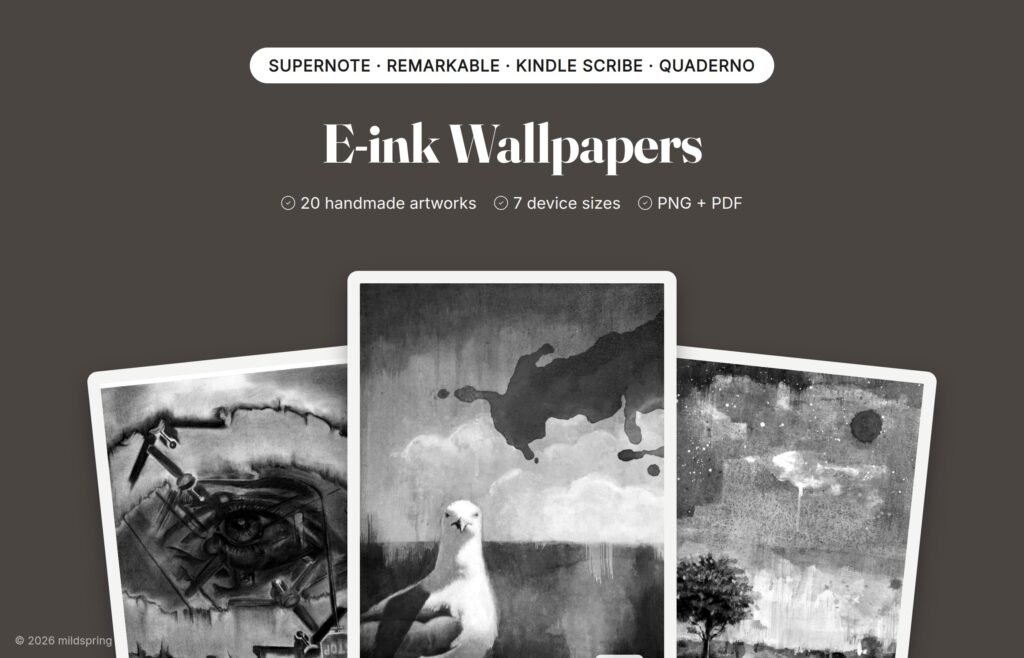
Twenty original paintings and drawings by Rabia, made into black-and-white wallpapers for e-ink tablets. One purchase includes every size: Supernote, reMarkable, Kindle Scribe and Quaderno.
E-ink Wallpapers is a set of 20 original artworks, painted and drawn by hand by Rabia, our co-founder, and prepared for e-ink tablets. Each one is cropped to fill the screen edge to edge and converted to 16 shades of grey, the range an e-ink panel shows, with a small mildspring mark in the corner.
Nine of them are the paintings on the covers of our notebooks and planners. The other eleven haven’t been used anywhere else.
One purchase includes every size we make. You get seven downloads, one zip per device, so you only download the one you need.
What is inside
- 20 PNG wallpapers per device, sized to the screen.
- A 20-page PDF of the whole set in the Kindle Scribe, reMarkable and Quaderno folders, for devices that open PDFs more easily than images.
- A short README with setup steps for each device.
Sizes included
- Supernote Nomad: 1404 by 1872 pixels
- Supernote Manta: 1920 by 2560 pixels
- Kindle Scribe (2024, 10.2″): 1860 by 2480 pixels
- reMarkable 2 and Paper Pure: 1404 by 1872 pixels
- reMarkable Paper Pro: 1620 by 2160 pixels
- Quaderno A5: 1404 by 1872 pixels
How to use them
Supernote: copy a PNG to your Supernote and set it as your screensaver in Settings, under Display & Input. You can also put a PNG in the MyStyle folder to use it as a page template.
Kindle Scribe: Kindle doesn’t let you set your own sleep screen without jailbreaking it, so we don’t promise that. Send the PDF with Send to Kindle and keep the set on your Scribe like a small art book.
reMarkable: reMarkable doesn’t support custom sleep screens without developer mode. Upload the PDF with the reMarkable app or my.remarkable.com to keep the set on your tablet. On the colour Paper Pro they show in black and white.
Quaderno: add the PDF the way you add any PDF and open it in the reader.
About the art
Every mildspring product starts with one of Rabia’s paintings. This pack collects twenty of her paintings and pencil and charcoal drawings in one place: birds, a lone tree, a snowy road, a rose, a coffee cup, an airplane at the gate and more.
Frequently asked questions
Can I use them as a sleep screen?
On Supernote, yes. Set one as your screensaver in Settings. Kindle Scribe and reMarkable don’t allow custom sleep screens without hacking the device, so on those you view them as images or as the PDF.
Which download do I need?
The one named for your device. If you own more than one tablet, download each one. They’re all included.
Are they in colour?
No. Every wallpaper is black and white, made for e-ink screens.
Can I share them?
They’re for your own devices. Please don’t share or resell the files.
How do I get the files?
After checkout you can download them from your order confirmation page, your order email or the Downloads tab in My Account.