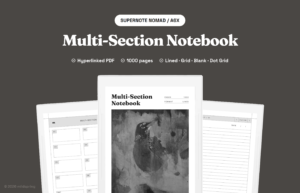
A multi-section notebook is only as useful as the sections you decide to use. Buying one and then dumping everything into Section 1 is the most common mistake, and the reason most people give up on the format within a month. A digital notebook for work and personal life works because the format lets you walk between contexts without flipping between separate files.
Below are five worked examples of how to assign sections to real situations. Each one is a starting point, not a rulebook. Steal the structure that fits your week.
Why section assignment matters more than the notebook itself
Most multi-section PDFs ship with section labels like A, B, C, D, E. Useful as scaffolding, useless on day one. The labels do nothing for you until you decide what each one holds.
Good section assignment has three properties:
- Distinct. No overlap. If “Work” and “Projects” can both hold the same note, you will hesitate every time you open the device.
- Daily-relevant. Every section should get touched in a normal week. Sections that stay empty for a month are wasted slots.
- Stable. You can shift one or two sections per quarter, but rebuilding the whole layout every week defeats the format.
The five setups below all follow those rules. They are not theoretical layouts. Each one matches a real situation people use a multi-section notebook for, and each one has been stress-tested by the failure mode of giving up after three weeks.
Before reading the five, decide which life shape is closest to yours right now. The shape you have today, not the shape you wish you had. Picking a layout for an aspirational life is the second-most common reason multi-section setups fail.
Setup 1: The full-time employee with a side project
The person this fits: nine-to-five job, plus something they are building on the side that they want to keep separate from the day job.
- Section A: Work, Meetings. One page per meeting. Cornell-style layout works well here.
- Section B: Work, Deep Tasks. Long-form thinking. Specs, design notes, write-ups.
- Section C: Side Project. A second-life work zone. Ideas, todos, decisions for the thing you build evenings and weekends.
- Section D: Personal. Errands, family, calls to make. The non-work admin layer.
- Section E: Journal. One page a week. End-of-week reflection.
The split between Section A and Section B is the one most people skip. Meeting notes and deep work need different layouts, different tools, and different review cadences. Putting them in the same section means one of them gets buried.
Setup 2: The student juggling courses and a part-time job
The person this fits: full-time student with one or two paid commitments on the side. The notebook needs to carry coursework, lecture notes, and the part-time job in one place.
- Section A: Course 1, lectures.
- Section B: Course 2, lectures.
- Section C: Course 3 plus other courses, lectures. Shared, with a small index on the first page.
- Section D: Assignments and study planning. Cross-course. Due dates, study blocks, exam prep checklists.
- Section E: Job and personal. Shifts, errands, family. The non-school layer.
If you have more than three courses, do not try to give each one its own section. Three is the limit before the labels become a maze. Put your two heaviest courses in dedicated sections and pool the rest.
Setup 3: The founder or freelancer running multiple projects
The person this fits: self-employed, two to four clients or products on the go at once. The hardest layout to keep clean, because the temptation is to give every client a section.
- Section A: Client / Project 1. Active, highest-revenue work.
- Section B: Client / Project 2. Active, second priority.
- Section C: Operations. Invoicing, taxes, contracts, business admin. Shared across all clients.
- Section D: Pipeline and ideas. Future clients, content ideas, things to build. The “not now, but soon” pile.
- Section E: Personal. Same as in every setup. Without this, work eats your life.
If you have more than two active clients, rotate them through Sections A and B. The other clients go into a single shared section with one index page. This is the format every freelancer resists and every freelancer eventually adopts.
Setup 4: The health-focused setup
The person this fits: someone managing a long-term health condition, training for something, or rebuilding habits after burnout. The notebook is partly a log and partly a journal.
- Section A: Daily log. Sleep, food, mood, energy. One row per day. Boring, fast to fill, useful in aggregate.
- Section B: Training or therapy notes. Workouts, PT exercises, doctor visit notes. Whatever the active work is.
- Section C: Reading and research. Articles, podcast notes, anything you want to remember about the condition or the training plan.
- Section D: Work. Compressed into one section because your priority right now is elsewhere.
- Section E: Free journal. Reflection, harder to quantify but the part that usually moves the needle.
The “Work” section being smaller than the others is intentional. The structure should reflect what you are actually optimizing for this quarter. If health is the priority, work fits in one slot, not four.
Setup 5: The minimalist who hates labels
The person this fits: someone who has tried elaborate notebook systems before and bounced off them. The goal here is to use a five-section layout without overthinking.
- Section A: Today. A running daily page. Everything for the current day.
- Section B: This week. One page a week. Priorities, recurring items.
- Section C: This year. Goals, projects, a single index of bigger threads.
- Section D: Inbox. Anything you cannot place yet. Process weekly.
- Section E: Reference. Things you look up. Bookmarks, lists, snippets.
This layout is context-agnostic. Work and personal stuff sit on the same page, sorted by time horizon instead of life area. It is the lightest of the five setups and the one that survives longest if your life shape changes a lot.
Choosing a digital notebook for work and personal use
The wrong move is to read these five setups and stitch your own from pieces of all of them. The right move is to pick the one closest to your current life and use it unchanged for two weeks. Two weeks is enough to see where it strains and where it works. Then adjust one section, not five.
Two practical pointers for the first two weeks:
- Label each section on its first page. Not just in the index. When you open a section directly, you should immediately see what it is for and a one-line rule for what does and does not belong there.
- Do a weekly review. Ten minutes on Sunday. Flip through each section. Move notes that ended up in the wrong place. Archive anything done.
If after two weeks one section is empty and another is overflowing, that is the signal to rebalance. Merge the empty one into a neighbor and split the overflowing one. Resist the urge to do this on day three.
The setup you pick is less important than picking one. Any of the five above beats no structure at all.
Ready to try it on hardware? Start with our Multi-Section Notebook for Supernote. For why ten sections is the practical ceiling, read Why 10 Sections Is the Sweet Spot. Browse every format in the shop.