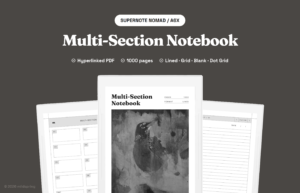
What is a hyperlinked PDF? It’s a PDF where some text or buttons are clickable. Tap one and you jump to another page inside the same file. Web pages do this all the time. PDFs can too. Most people just don’t notice.
What is a hyperlinked PDF, in plain terms
A regular PDF is one long document. You scroll page by page, or pinch to zoom. A hyperlinked PDF adds clickable areas on top of that. Those clickable areas are called links, the same way they are on a website. Tap a link, the PDF jumps to wherever that link points.
Each link has two parts. The thing you tap, which can be text, a button, a small icon, or even a blank area. And the target, which is the page it sends you to. The reader app draws the link. The PDF file stores the instructions.
PDFs have supported clickable links since version 1.1, released in 1994. It’s not new. What’s new is that e-ink tablets finally treat those links the way a phone or computer would. Now they just work.
Why this matters on an e-ink tablet
E-ink tablets like Kindle Scribe, reMarkable, Supernote, and Boox are great for reading and writing. But they have one quirk. There’s no folder system the way your phone has. You can’t pin files. You can’t jump between sections with a swipe.
That’s where hyperlinked PDFs change things. A notebook with a tappable section index lets you open any chapter in one tap. A journal with a calendar view skips the scrolling. The PDF starts acting like a small app inside the reader.
It’s the difference between a paper book you flip through, and a paper book with a working table of contents.
What you can do with one
The kinds of links you’ll see in a well-built notebook or journal:
- Tap a date on the calendar to open that day’s page.
- Tap a chapter title to jump to that chapter.
- Tap a back button to return to the index.
- Tap a tag or label to filter to related notes.
- Tap an entry title to open its detail page.
Most modern e-ink tablets support these links, including Kindle Scribe, reMarkable, and Supernote. Each device renders them a little differently. Some show a small box around tappable areas. Some don’t. Either way, the link still fires.
A few cheap PDFs cheat by drawing arrows that aren’t actually clickable. If you tap an arrow and nothing happens, the file was never hyperlinked. The arrow is decoration, not navigation.
The best hyperlinked journals think about how you actually move through time. A month flows into its weeks. A week flows into its days. A day flows back up to the week, then back to the month. Three levels deep, two taps to get anywhere.
Links, breadcrumbs, and bookmarks: what is the difference?
These three get mixed up. Links are the tappable areas on a page. Breadcrumbs are a row of links at the top of a page that show where you are and let you jump back up. Bookmarks (also called an outline) are a table of contents stored in the file, which only shows up in readers that display a PDF outline.
Where to get one
Most blank PDFs floating around online are printable templates. They look fine on paper, but they don’t move. A real hyperlinked PDF is built with the links baked in from the start. The cover, the index, the section breaks, the tags, the back buttons.
mildspring’s notebooks and journals are designed this way. Drop the file on your tablet and start tapping. The cover leads to the index. The index leads to your notes.
If you’re not sure whether a PDF you already own is hyperlinked, open it and tap a few section titles. If something jumps, it is. If nothing happens, it’s just pretty paper. For the technical side of how PDF links are stored, see the PDF format overview on Wikipedia.